1Getting Started
1.1What It Does
PDDO-MultiPhysics solves transient, coupled, three-dimensional partial differential equations that you write yourself. A model is a list of unknown fields, parameters, named relations (strain, stress, flux), one equation per field, initial values and boundary conditions. There is no fixed catalogue of physics: heat transfer, elasticity, plasticity, fracture, phase fields and reaction–diffusion are all written in the same way, and so is a model of your own.
The equations are discretized with the Peridynamic Differential Operator (PDDO). Every derivative at a node is computed from a family of neighbouring nodes within a horizon, by weights that reproduce polynomials exactly up to the chosen order. The nodes are a regular grid for a box, or a point cloud that conforms to the surface of a CAD part. No mesh is built, and near a boundary the families become one-sided automatically.
The equations are handled symbolically: each one becomes a pointwise expression in field values and PDDO derivatives, and the engine differentiates it to obtain the exact Jacobian for Newton's method. Explicit, IMEX and implicit time schemes, with optional error-controlled steps, advance the solution.
1.2Installation
PDDO-MultiPhysics is distributed as a Windows installer, a self-contained package with everything the program needs. Nothing else has to be installed first.
- Download the installer from the PDDO-MultiPhysics product page.
- Run it and follow the steps of the setup wizard.
- Start PDDO-MultiPhysics from the Start menu or the desktop shortcut.
The program requires 64-bit Windows 10 or 11. To check that everything works, open one of the bundled models from Home › Examples and press Compute; the examples are described in the documentation.
1.3The Main Window
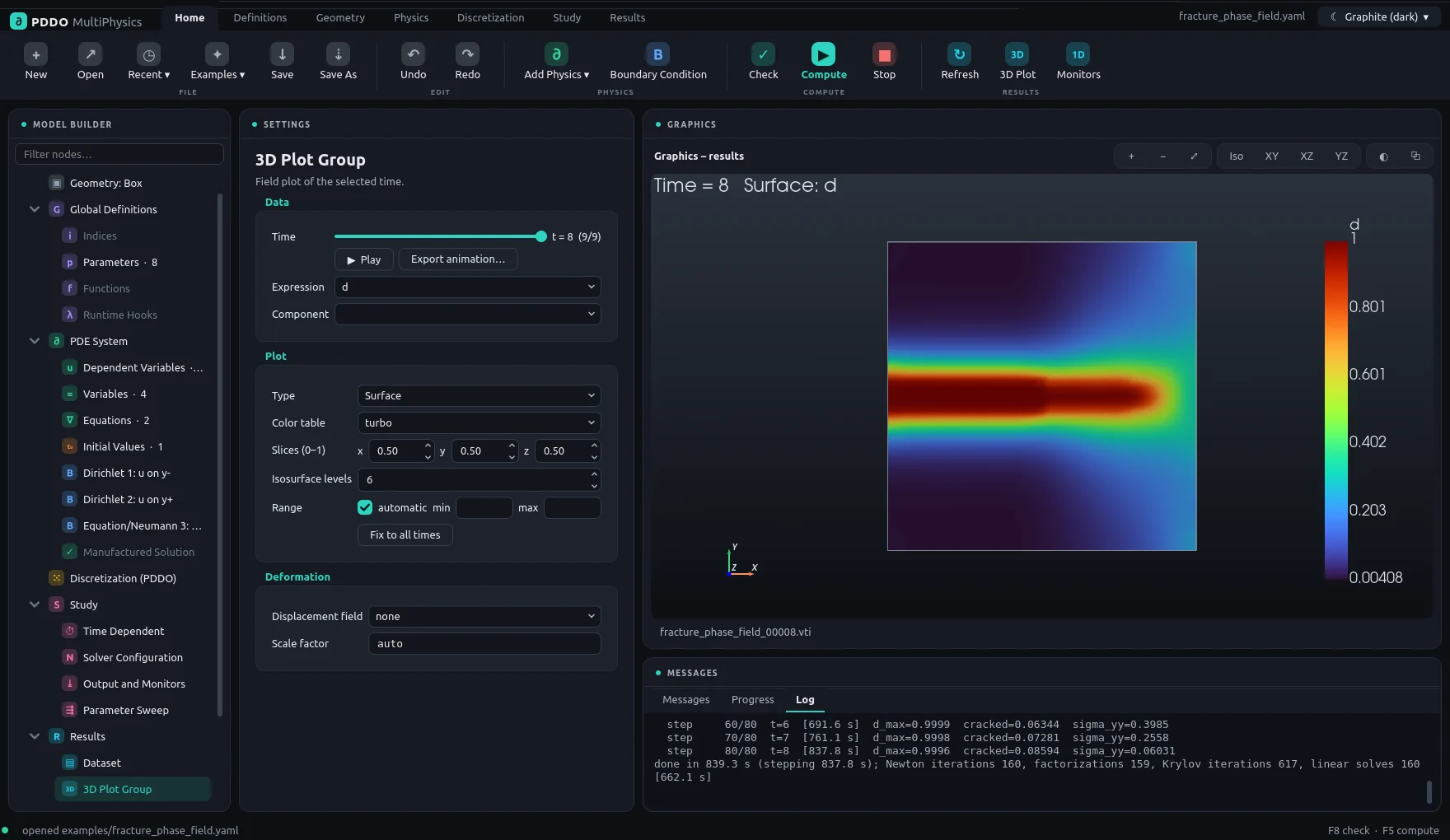
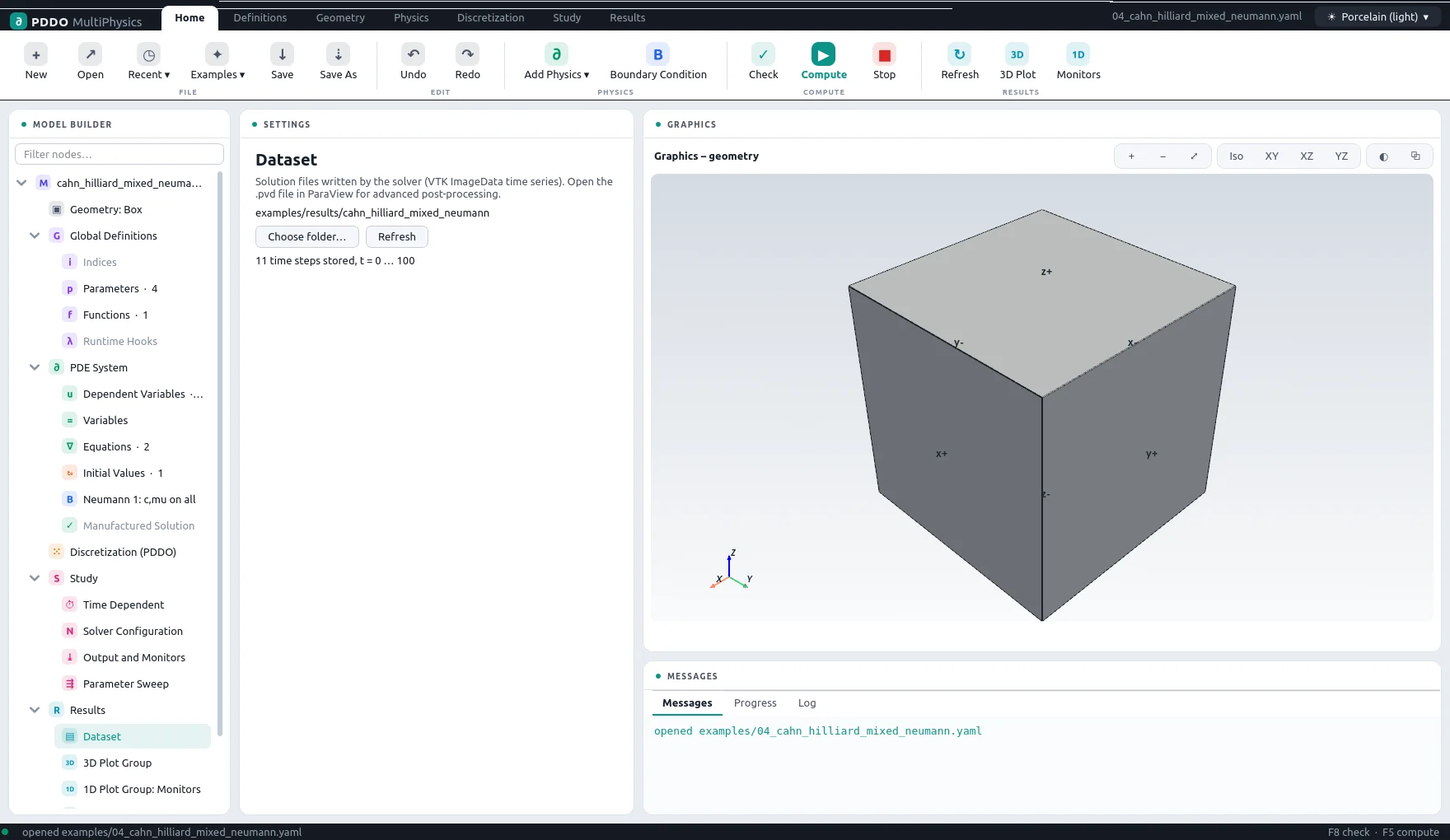
The window follows the layout of common CAE tools. The ribbon at the top holds the commands, grouped in tabs. Below it, from left to right:
| Area | What it does |
|---|---|
| Model Builder | The model as a tree: geometry, global definitions, the PDE system with one node per boundary condition, discretization, study and results. A filter box above the tree finds nodes by name. Counts next to a node show how many entries it holds. |
| Settings | The settings of the selected node: a form or a table of expressions. |
| Graphics | The geometry with face labels, the selected boundary faces, the PDDO nodes, 3D results, or the 1D plots, depending on the selected node. |
| Messages | Messages, the progress of a running computation, and its log. |
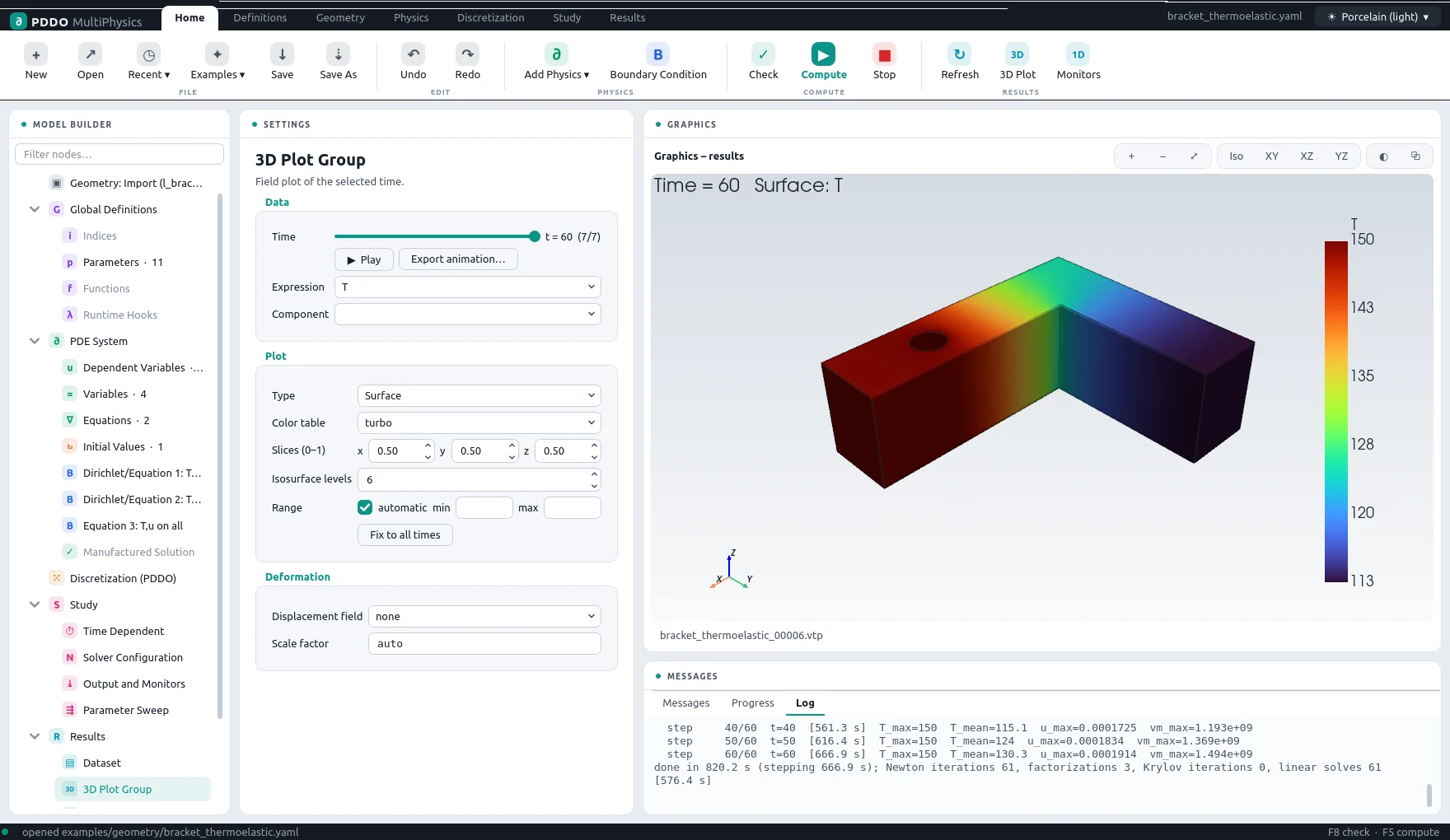
The ribbon tabs hold the same commands as the tree, grouped by task:
| Tab | Commands |
|---|---|
| Home | New, Open, Recent, Examples, Save, Save As; Undo, Redo; Add Physics, Boundary Condition; Check, Compute, Stop; Refresh, 3D Plot, Monitors. |
| Definitions | Indices, Parameters, Functions, Hooks. |
| Geometry | Box, Import (STEP/STL), Sphere, Cylinder; zoom and transparency. |
| Physics | Add Physics; Dependent Variables, Variables, Equations, Initial Values; Boundary Condition, Delete. |
| Discretization | Settings; Build Families (colours the nodes by family size). |
| Study | Time Dependent, Solver, Output; Compute, Continue, Sweep, Stop. |
| Results | Dataset, Refresh; 3D Plot, Monitors, Probe, Image (save the graphics as PNG). |
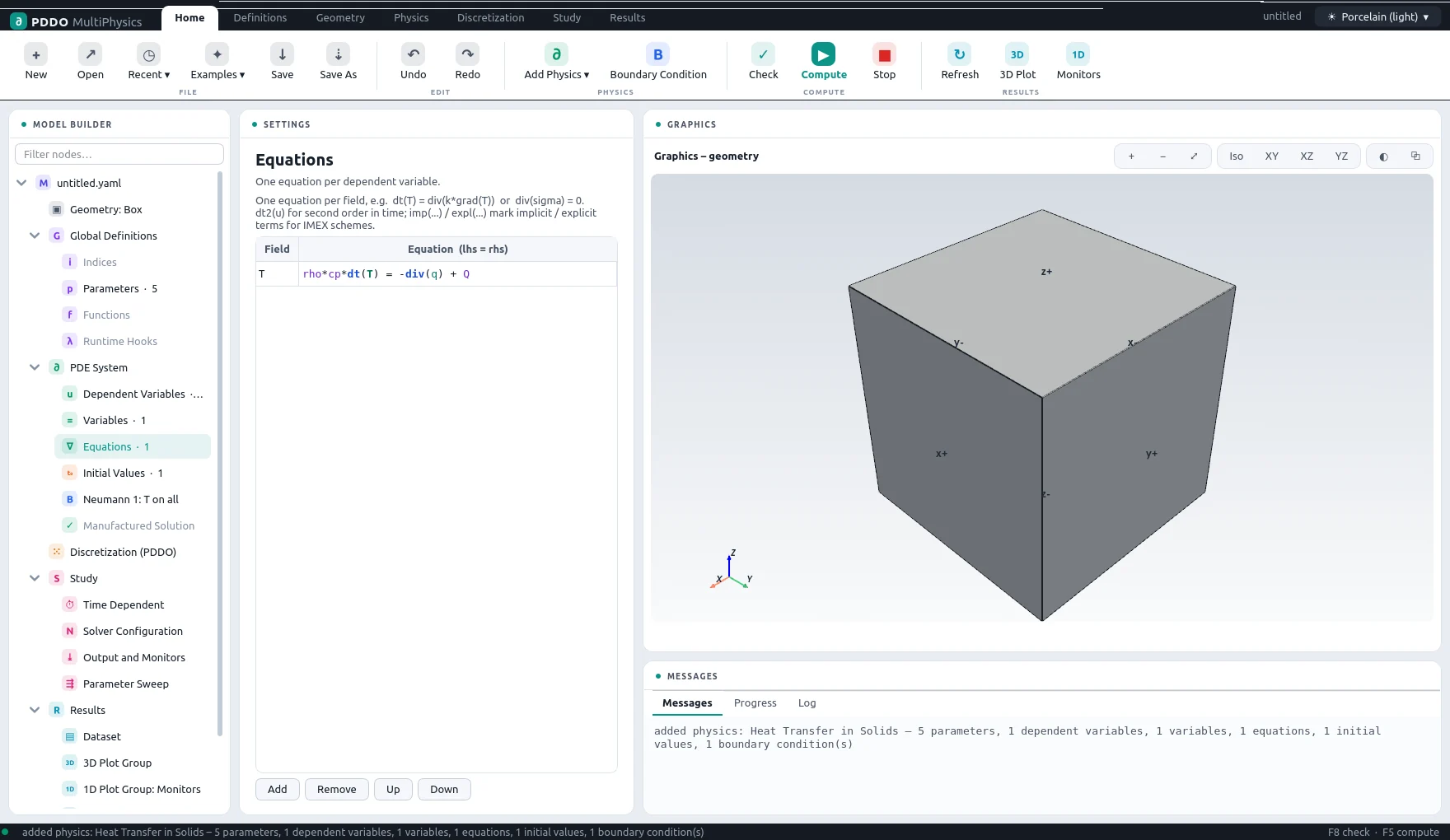
1.4A First Model
The quickest start is an example: Home › Examples opens any of the shipped problems, and Compute (F5) runs it. To build a model from scratch:
- New (Ctrl+N) starts an empty model on a unit box.
- Add Physics merges a ready-made set of fields, parameters, relations, equations, initial values and boundary conditions into the model: heat transfer in solids, solid mechanics, thermoelasticity, elastodynamics, transport of diluted species, Cahn–Hilliard, Allen–Cahn or reaction–diffusion. Everything it adds is ordinary model content; edit it freely, or add a second physics to couple them.
- Set the Geometry: the size of the box, a primitive, an imported part, or several materials.
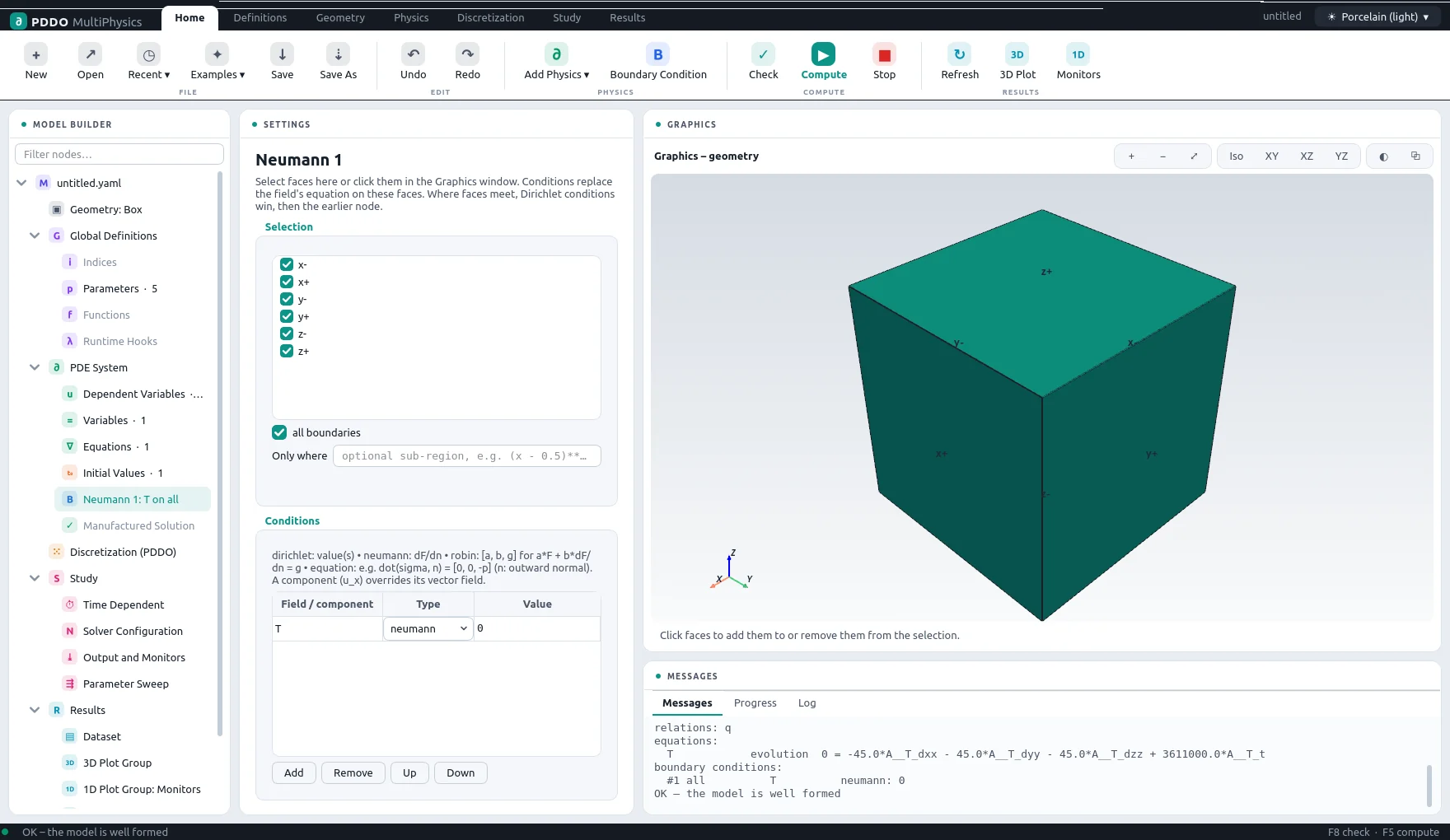
- Edit the Parameters and the Boundary Conditions; select a condition to see its faces highlighted, and click faces in the graphics window to add or remove them.
- Choose the node spacing under Discretization, and the end time, step and scheme under Study › Time Dependent.
- Check (F8) validates the whole model; Compute (F5) runs it in a separate process, with progress and log below.
- Inspect the Results: 3D plots, monitor plots and probes, updated while the run is going.
1.5Files, Undo and Themes
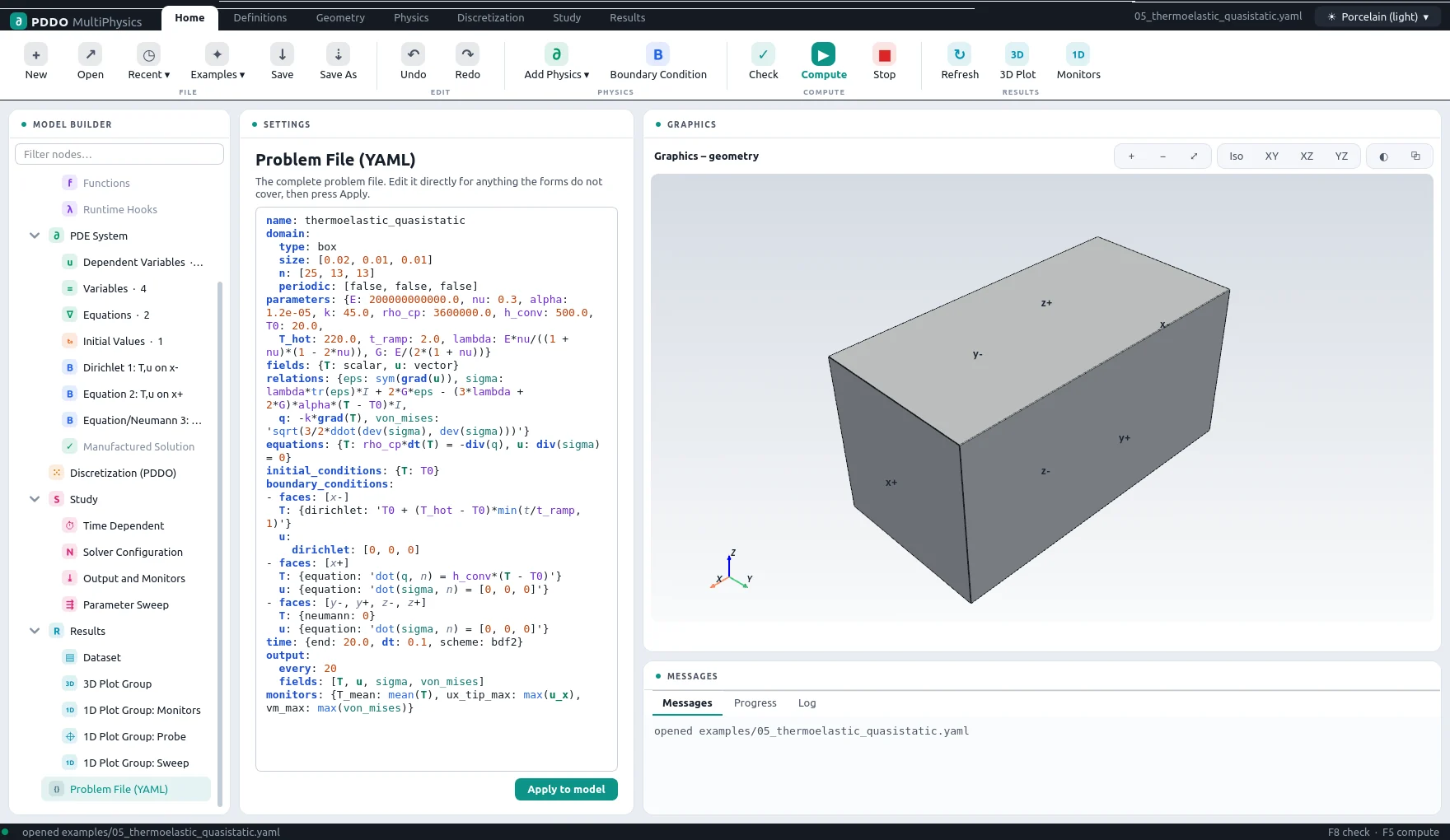
A model is a single problem file in YAML. The interface edits exactly that file: the Problem File (YAML) node shows it, and changes made there appear in the forms, and the other way round. The same file runs unchanged from the command line. Entries the forms do not show are kept when the file is saved.
The Model node, at the root of the tree, holds the name used for the output files, a free description, the file path, a summary of the model, and the recently opened files. Undo and redo (Ctrl+Z, Ctrl+Y) cover every change; the interface asks before discarding unsaved changes.
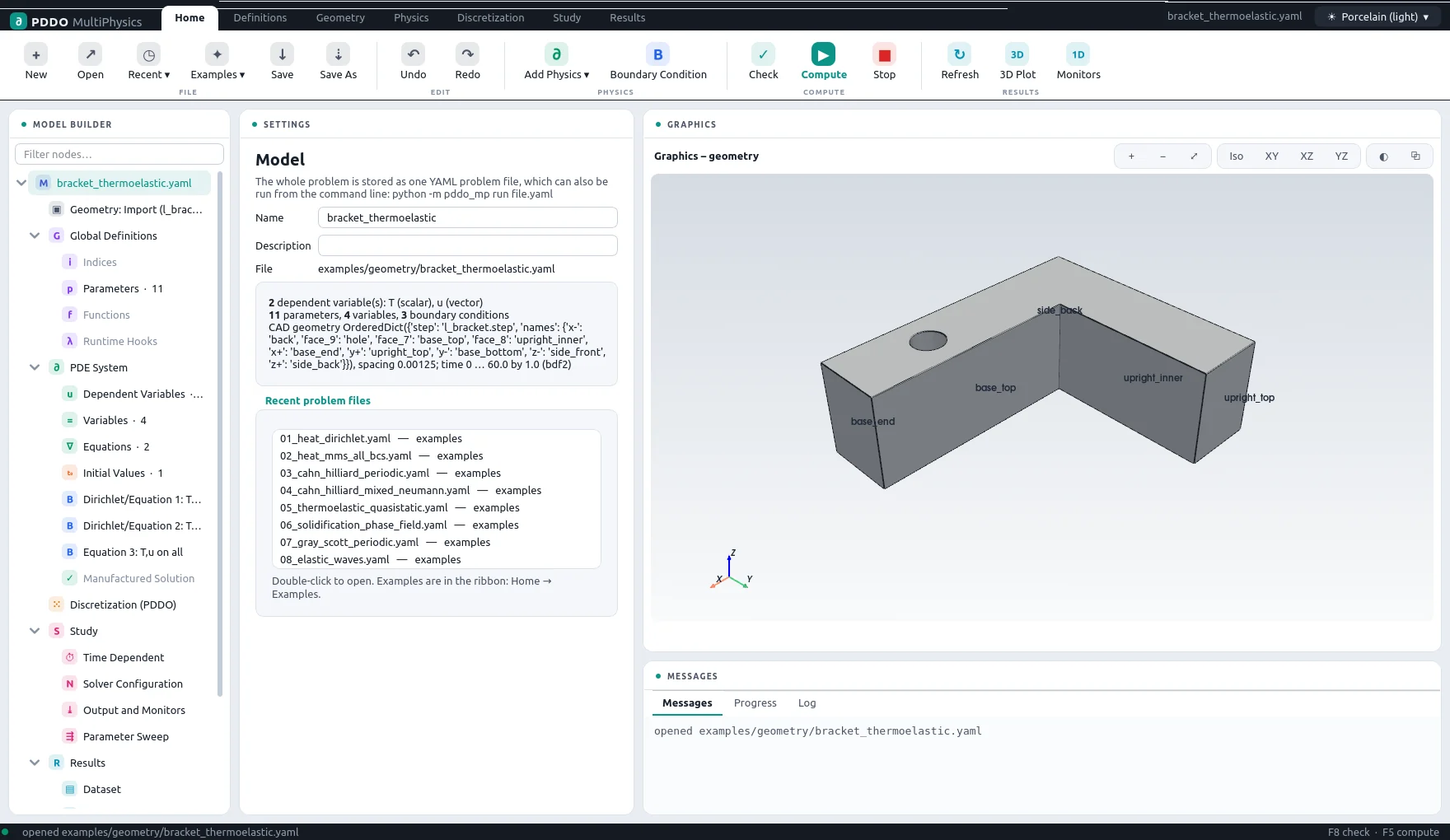
The interface has a light theme (Porcelain) and a dark theme (Graphite), chosen at the top right; the choice is remembered.
2Building a Model
Each node of the Model Builder corresponds to a section of the problem file. Expressions are typed in tables: they are syntax highlighted (operators, fields, parameters, relations), names that are not defined anywhere are underlined in red as you type, and typing a name offers completions.
2.1Geometry
The Geometry node chooses the kind of domain:
| Kind | Settings | Boundaries |
|---|---|---|
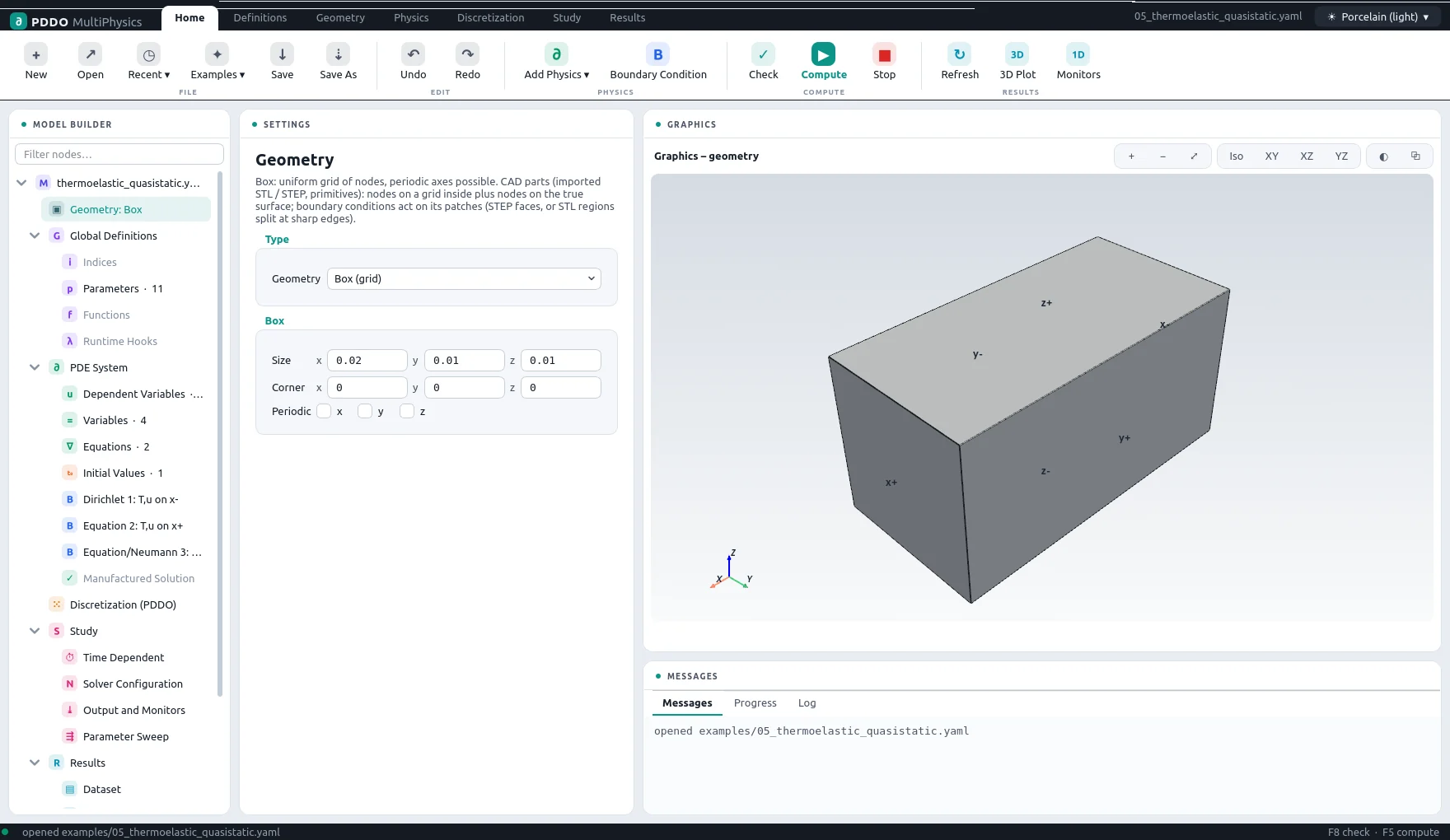
| Box | Size, origin, nodes per axis, periodicity per axis | x-, x+, y-, y+, z-, z+ |
| Sphere, cylinder | Radius, height, centre; exact surfaces | surface; a cylinder also bottom, top |
| Import | A STEP or STL file | The CAD faces (STEP) or patches split by feature angle (STL), renamed as you like |
| Several materials | A list of bodies, each a primitive or a CAD file | The faces of all bodies; their common surfaces become interfaces |
A periodic axis has no boundary faces: the families wrap around. A box is discretized as a regular grid; every other kind as a point cloud (section 3).
2.2CAD Parts
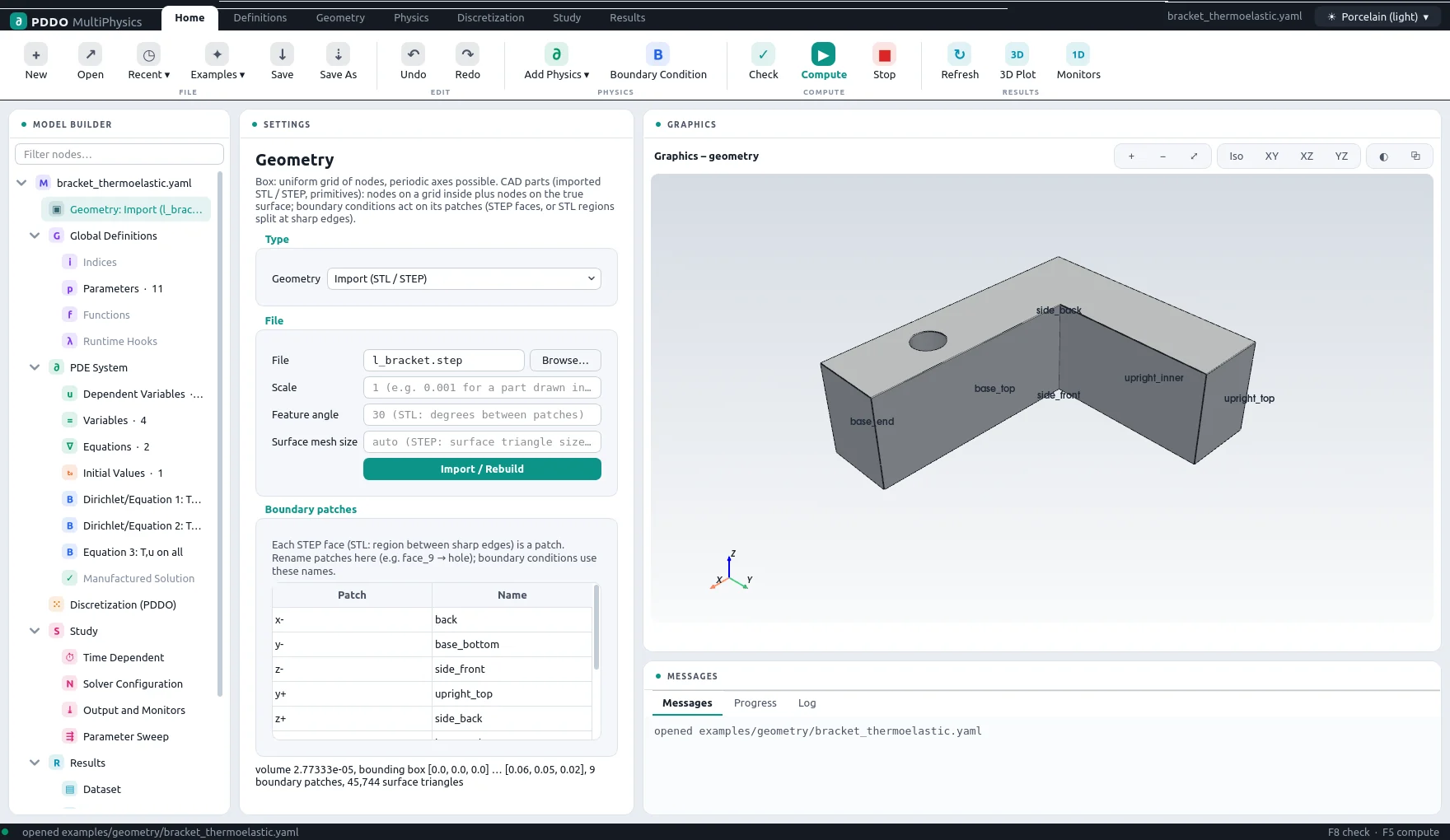
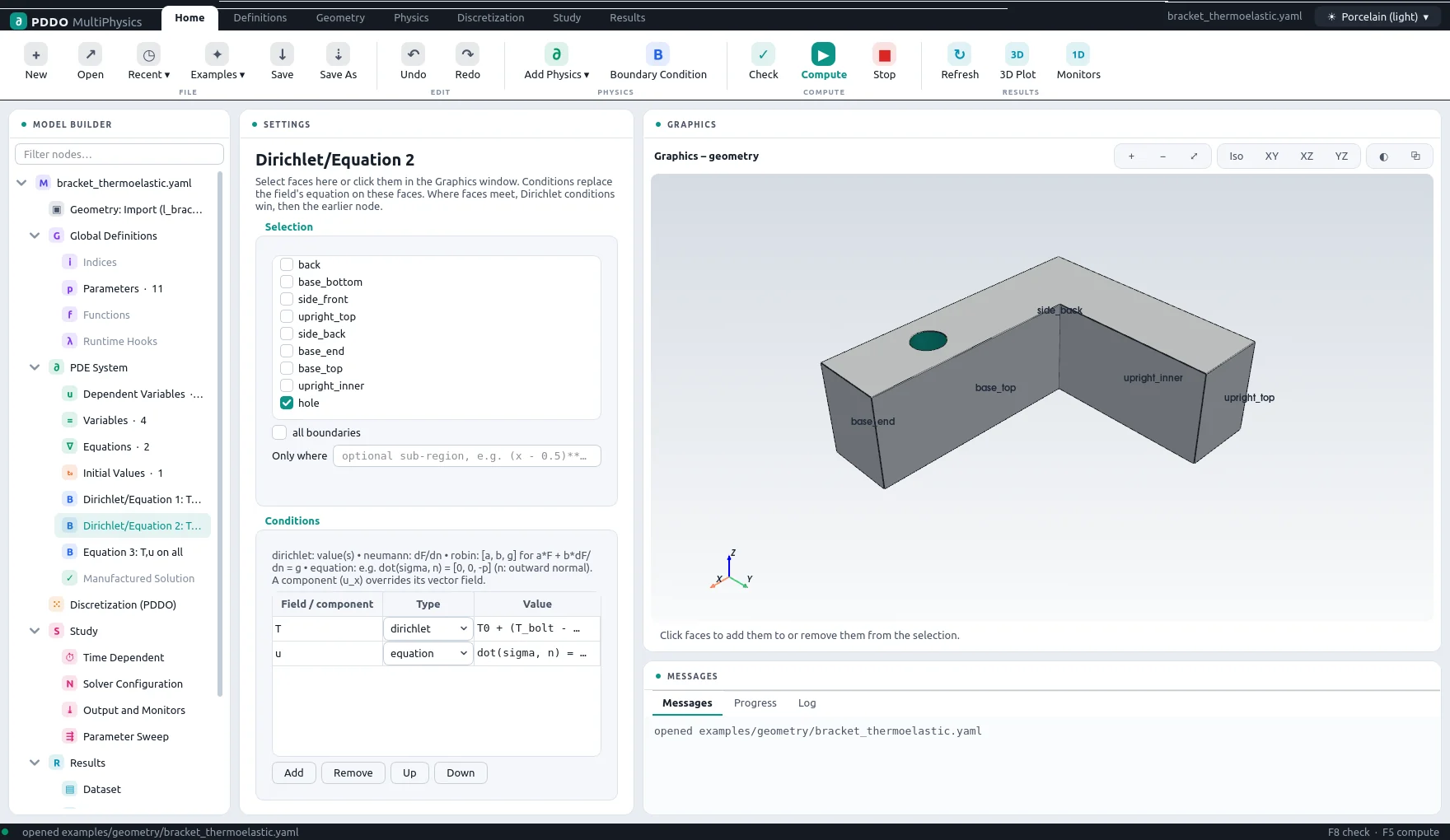
Geometry › Import reads a STEP file (through gmsh) or an STL file. Every STEP face becomes a boundary patch with a default name (face_9, or x- … z+ for faces at the bounding box). Rename them in the patch table; giving several patches the same name groups them into one boundary. Boundary conditions refer to these names, and the graphics window labels them.
face_9 → hole) and the names are drawn on the part.2.3Several Materials
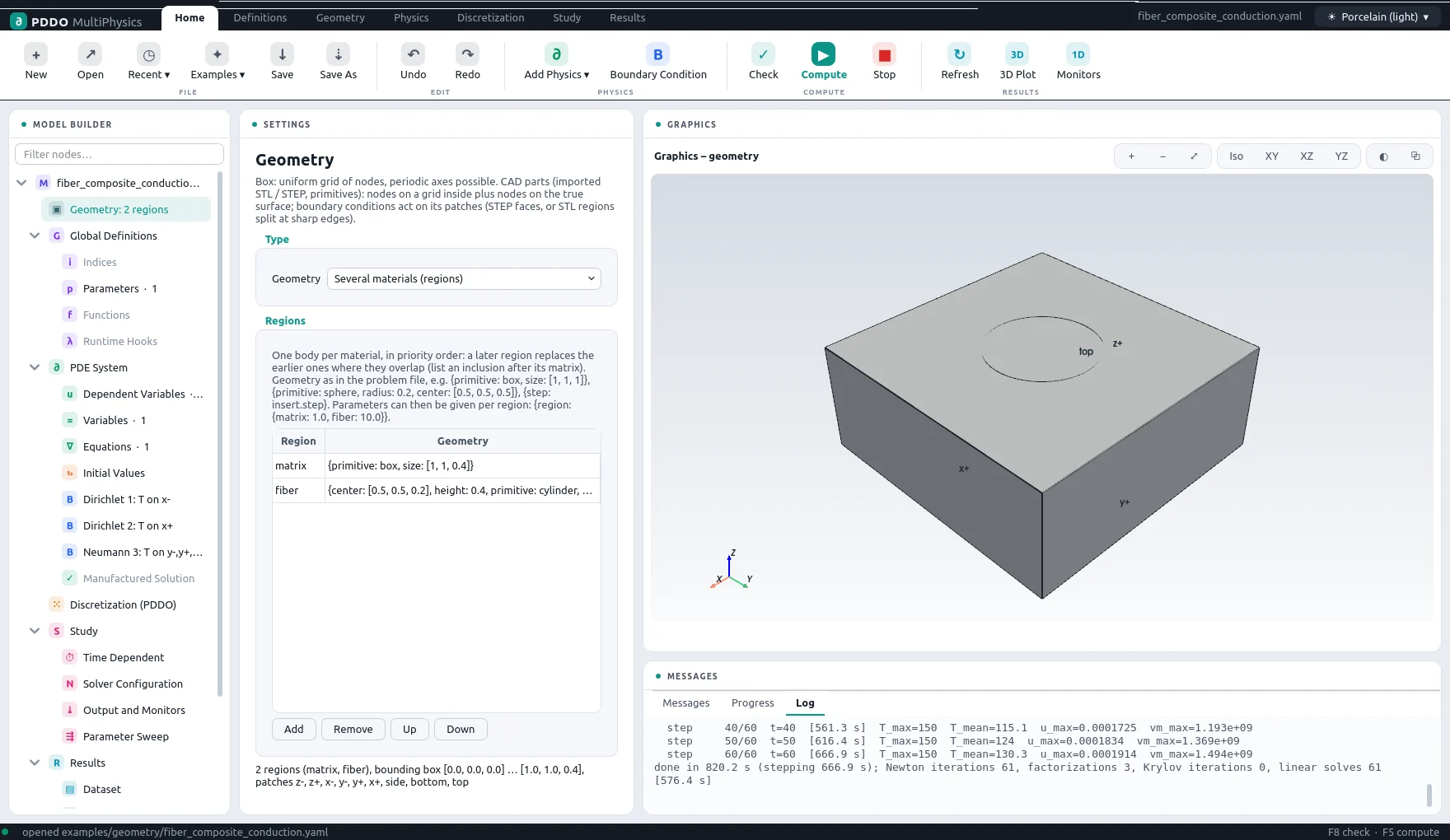
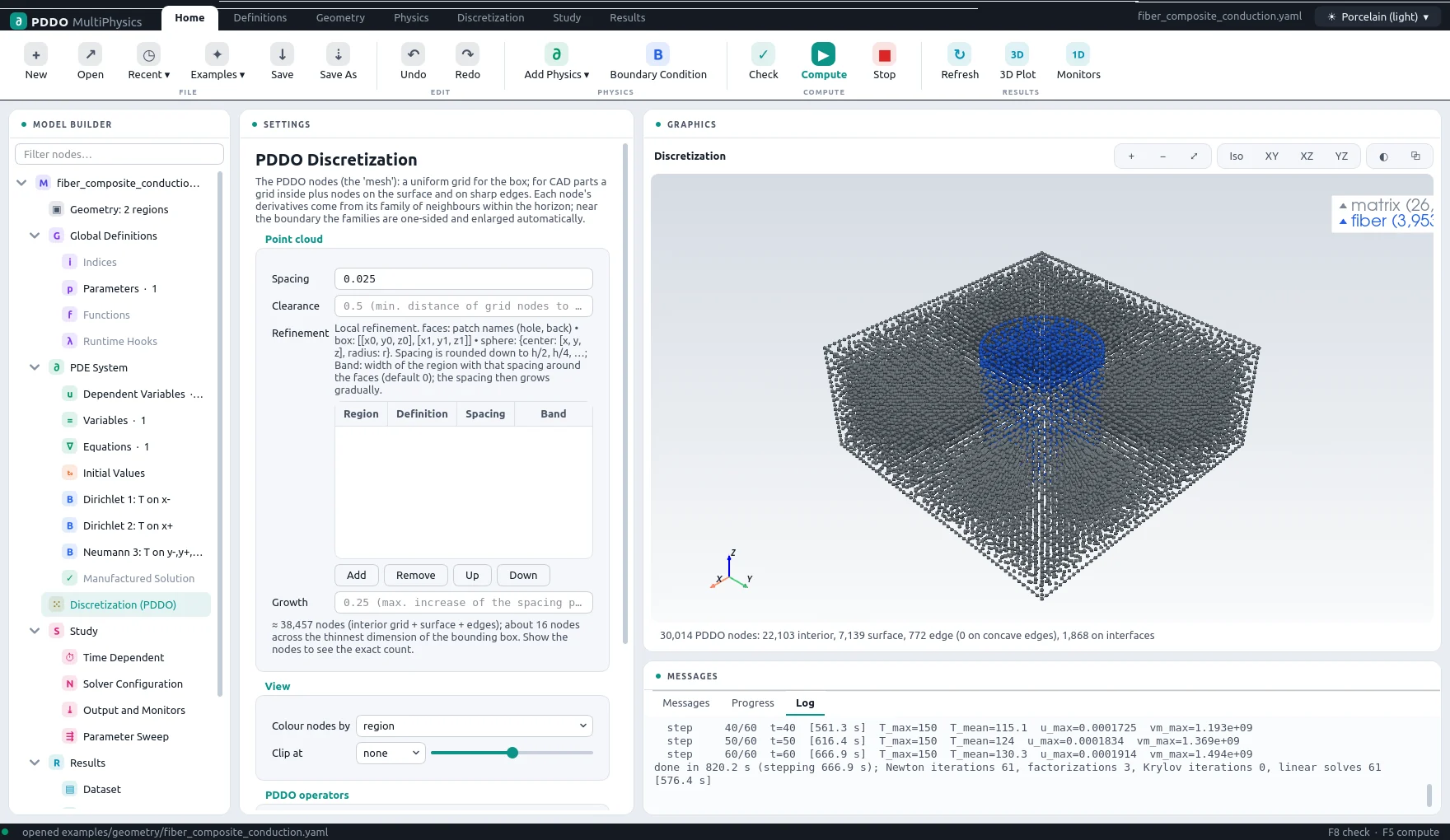
Geometry › Several materials builds a part from bodies listed in priority order: a later body replaces earlier ones where they overlap, so an inclusion is listed after its matrix. Each body has a name, the region, and a geometry: a primitive or a CAD file.
- Any parameter can take a value per region:
k: {region: {matrix: 1.0, fiber: 10.0}}, with an optionaldefault. Expressions of such parameters are evaluated per node. - Every node belongs to one region, and PDDO families never cross a region boundary, so properties may jump.
- The common surface of two regions is an interface: it carries two coincident nodes, one per side. For every field whose equation contains
div(F)orlap(f)terms, the interface conditions are continuity of the field and balance of the normal flux, read from those terms. Write the equations in conservation form,div(k*grad(T)), for this to work. - The
interfacessection of the problem file can give the flux explicitly,{T: {flux: "k*grad(T)"}}, or uncouple a field,{c: none}.
2.4Global Definitions
Parameters
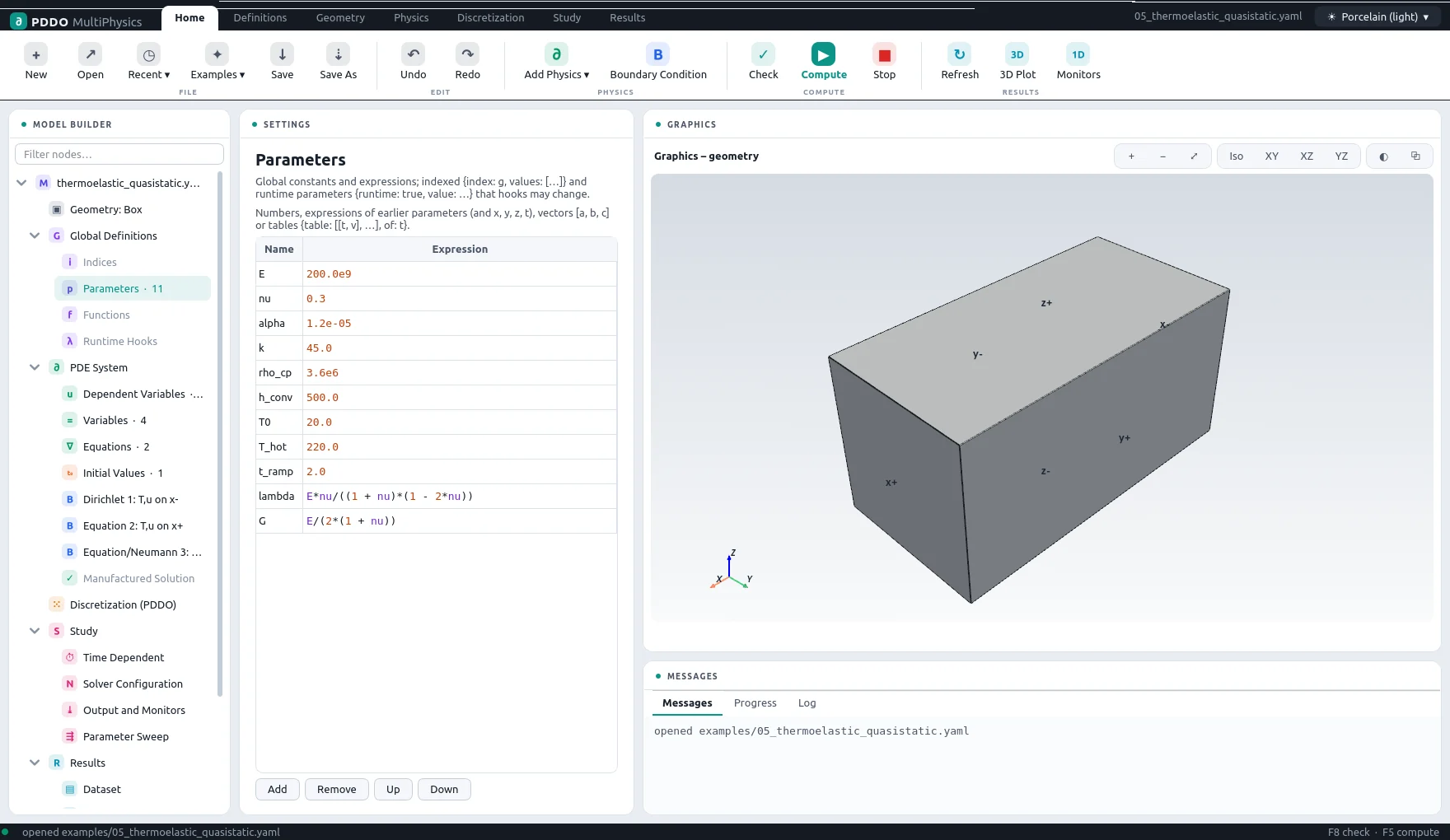
Parameters are named values used anywhere in the model. A parameter may be:
| Kind | Example |
|---|---|
| Number | E: 200.0e9 |
| Expression | lambda: "E*nu/((1 + nu)*(1 - 2*nu))" — of earlier parameters, x, y, z and t |
| Table | {table: [[0, 20], [600, 800]], of: t} — piecewise linear |
| Data file | {file: k.csv, columns: [T, k], of: T, kind: cubic}; 2D tables from NPZ files |
| Per region | {region: {steel: 210e9, insert: 70e9}} |
| Per index value | {index: g, values: [...]} (section 2.5) |
| Runtime | {runtime: true, value: 550.0} — changed by hooks during the run |
| CALPHAD | {calphad: {tdb: ..., parent: LIQUID, phase: AB, ...}, of: [c, T]} — a driving force computed from a thermodynamic database with pycalphad, tabulated and cached |
Functions
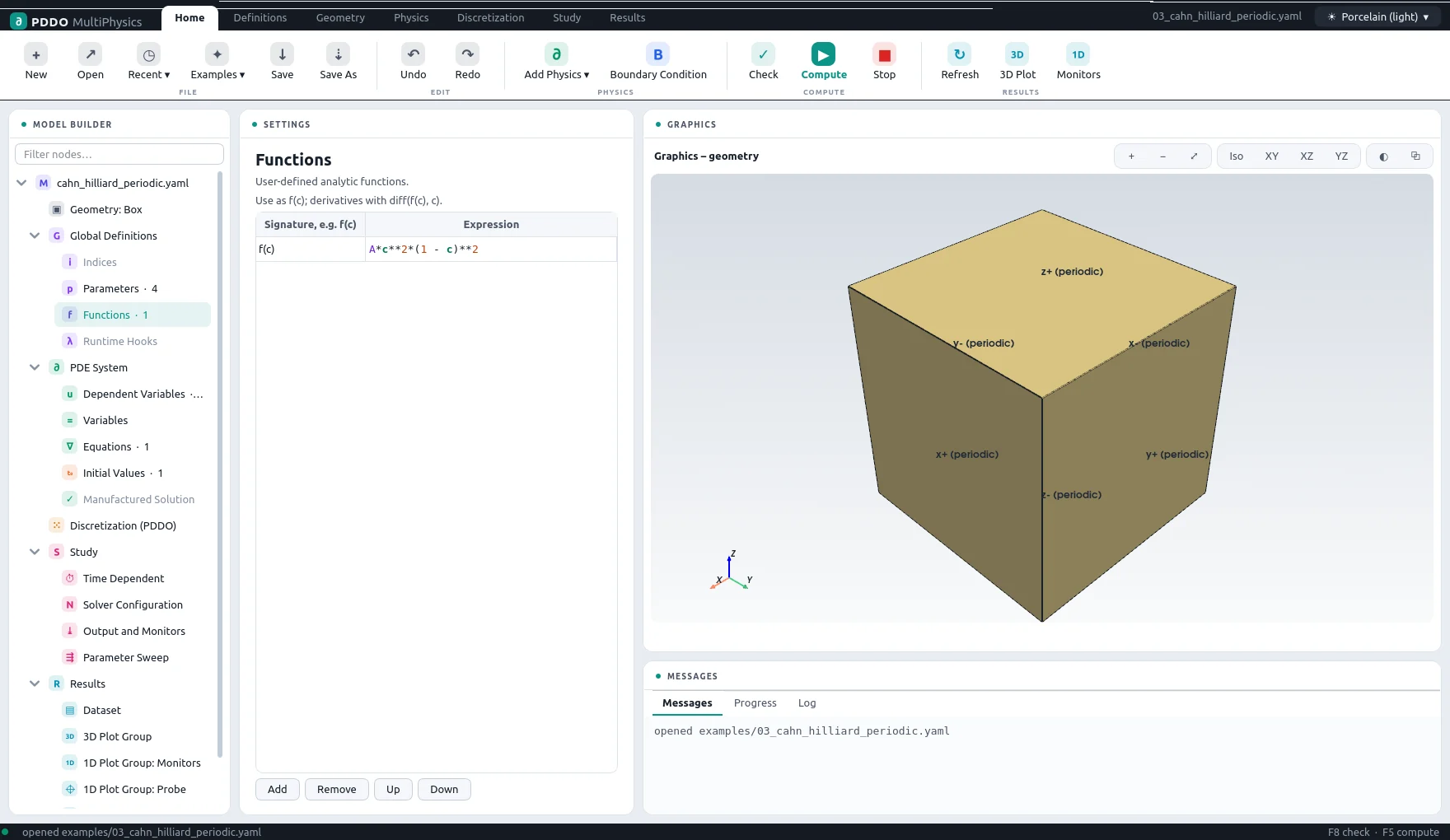
User functions, such as f(c) = A*c**2*(1 - c)**2, can be called anywhere and differentiated with diff(f(c), c). A function can also be a table from a file: cp(T): {file: cp.csv}.
Indices
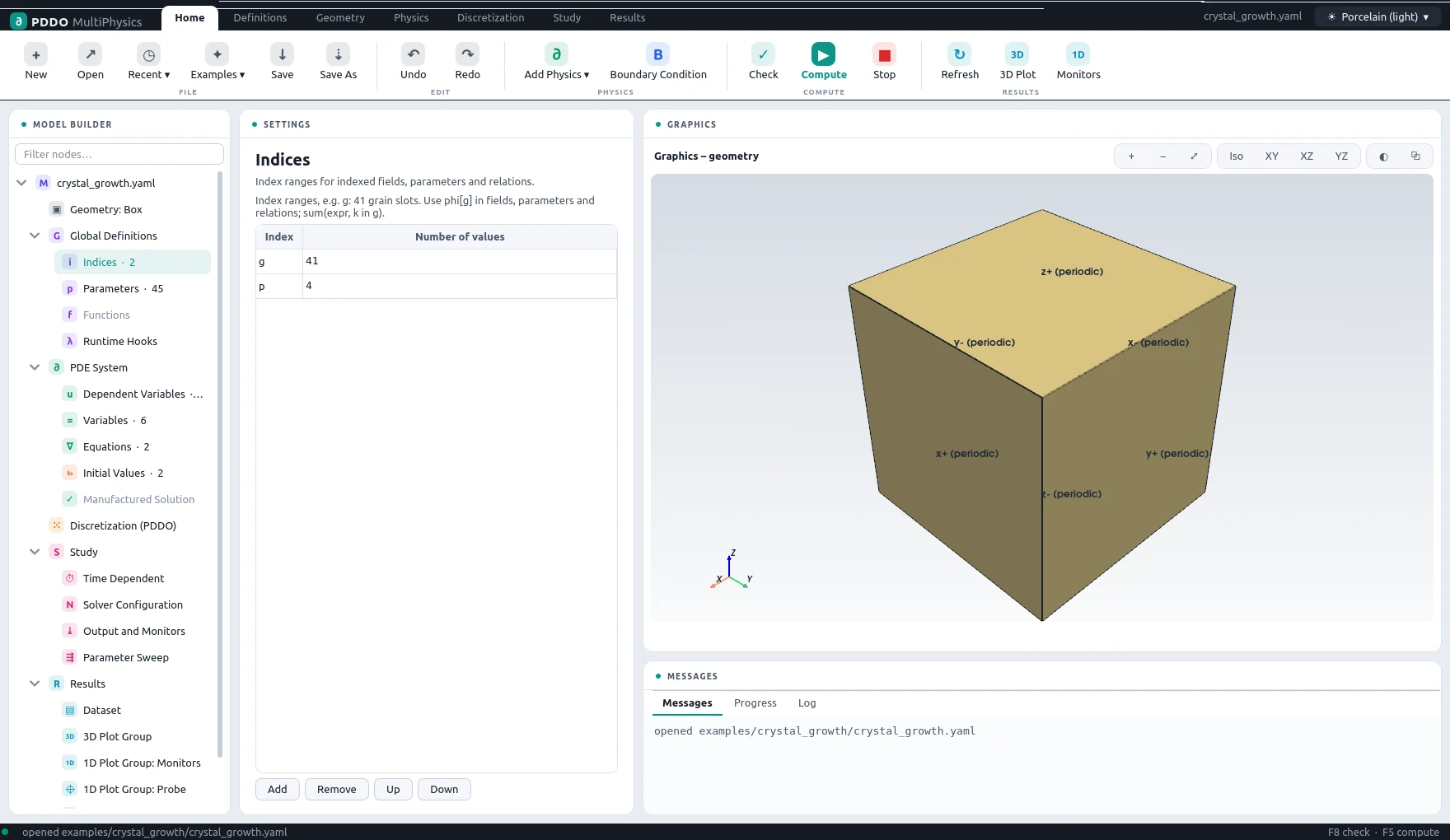
An index gives a field, a parameter or a relation one copy per index value: 41 grain fields from one equation, for example. phi[g] in an equation is instantiated for every g, and sum(phi[k]**2, k in g) expands over the index.
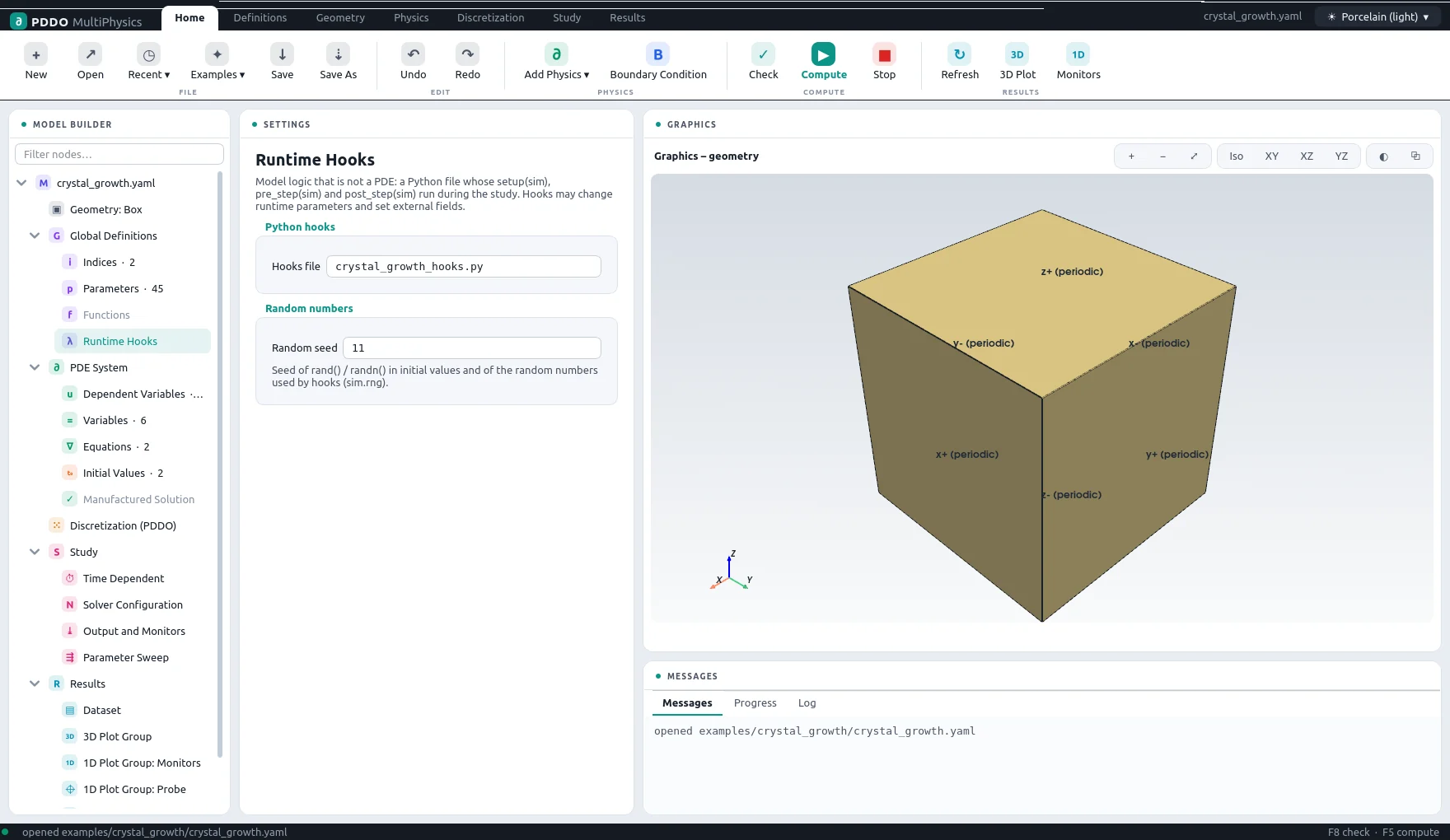
Runtime Hooks
A Python file with functions the engine calls during the run, for model parts that are not PDEs: nucleation, clipping, mass corrections, bookkeeping (section 6.4).
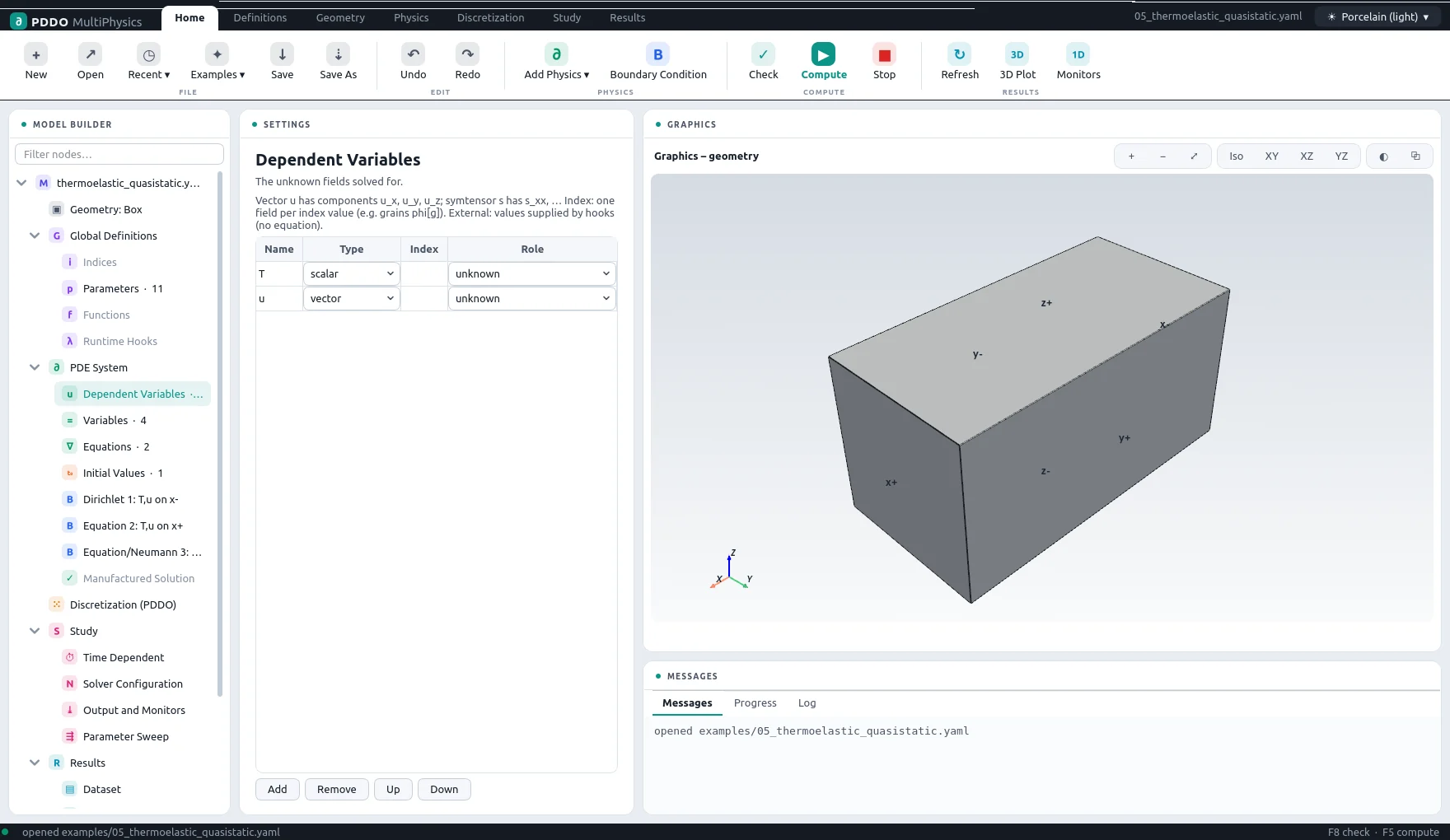
2.5Dependent Variables
The unknown fields. A field is a scalar, a vector (components u_x, u_y, u_z), a symtensor (six components) or a tensor. Further options:
| Option | Meaning |
|---|---|
update: "max(H, psi_plus)" | A history or internal variable: no equation; after every converged step it takes the value of its rule. Used for fracture history fields, plastic strains and hardening variables. |
index: g | One field per index value. |
external: true | Values supplied by hooks, without an equation; PDDO derivatives of them are available. |
2.6Variables
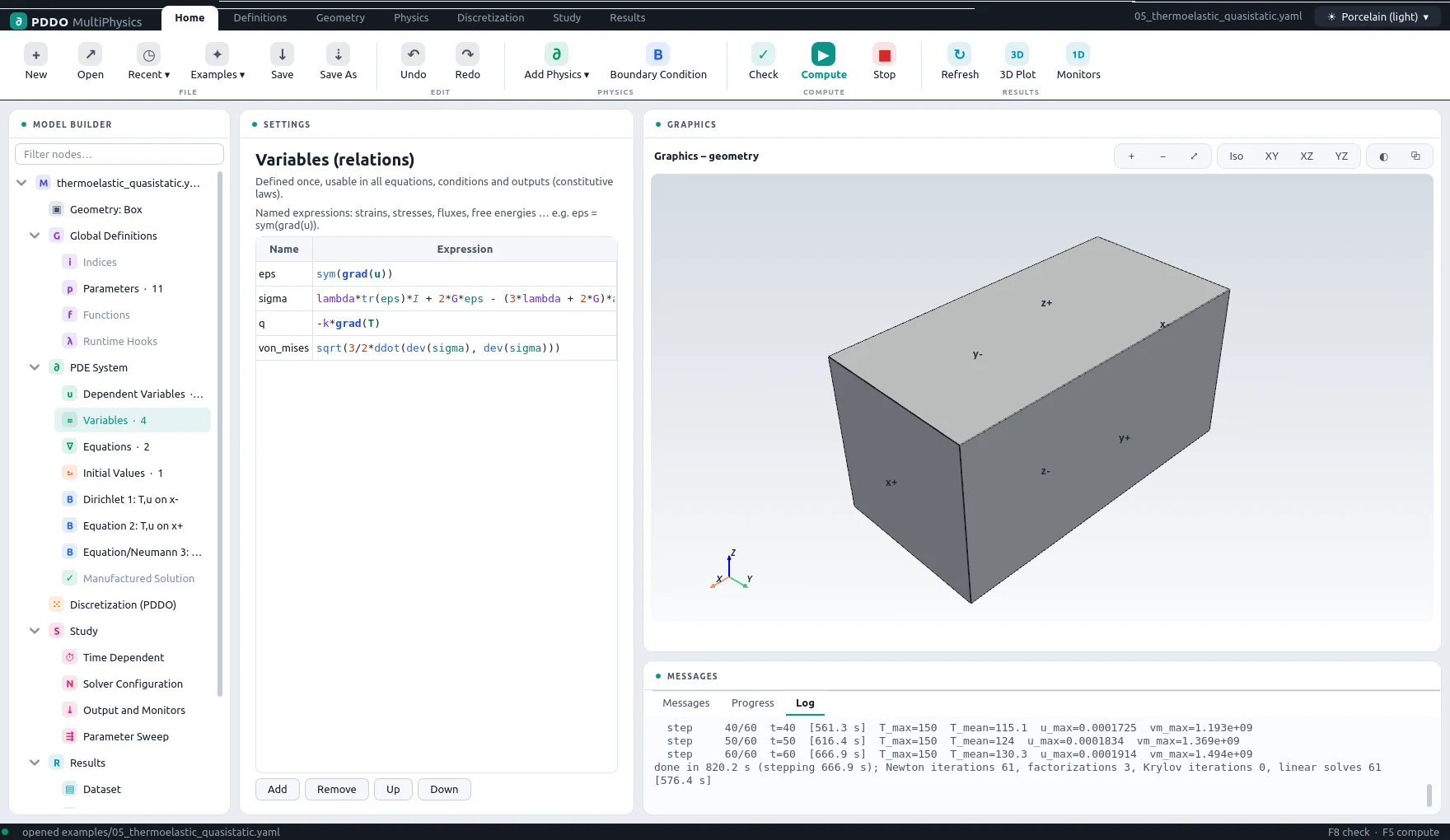
Variables (relations in the problem file) are named expressions: strain, stress, flux, free energy. They are substituted symbolically wherever they are used, so the Jacobian stays exact. A relation marked cache: true is instead evaluated once per evaluation and shared, which keeps large expressions and their derivatives small. Relations can be written to the output and used in monitors and boundary conditions.
2.7Equations
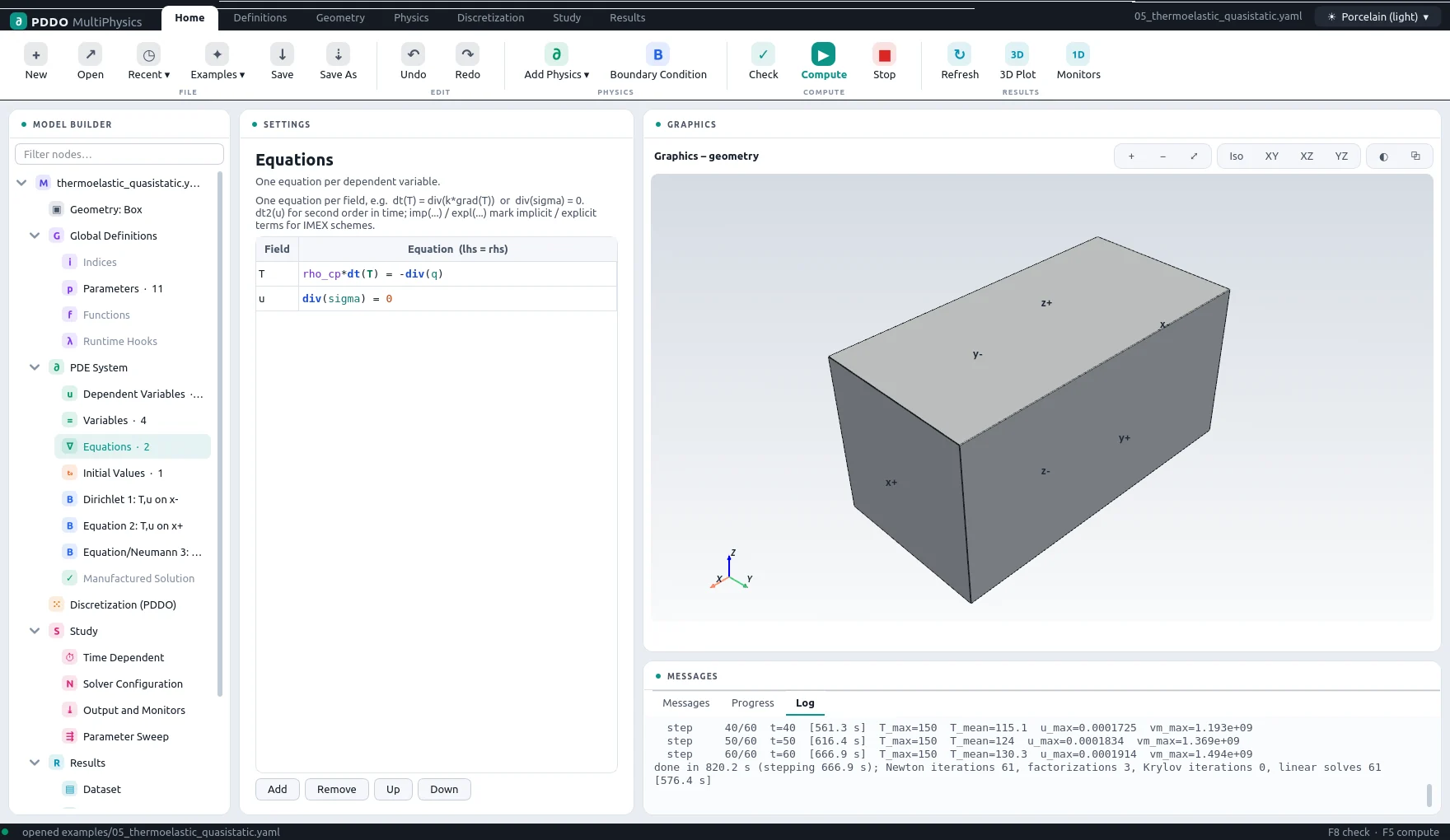
One equation per field, written as lhs = rhs (or as a residual equal to zero). The engine classifies each one:
- Evolution:
m*dt(f) = rhs, such asrho_cp*dt(T) = -div(q). - Second order in time:
rho*dt2(u) = div(sigma), rewritten as a first-order system with the rate as an extra unknown. - Stationary: no time derivative, such as quasi-static equilibrium
div(sigma) = 0or a chemical potentialmu = f'(c) - kappa*lap(c). - Differential-algebraic: other time derivatives, such as
tr(dt(eps))in fully coupled thermoelasticity (implicit schemes only).
For IMEX schemes, imp(...) marks the terms of an evolution equation that are treated implicitly, and expl(...) the terms of a stationary equation treated explicitly. Vector equations are written once: div(sigma) + [0, 0, -rho*g] = 0.
2.8Initial Values
Expressions of x, y and z (and parameters) for every evolving field; fields without one start at zero. rand() and randn() add noise, reproducible through the seed. A second-order field also needs its initial rate, dt(u): [0, 0, 0]. Values can be read from an NPZ file.
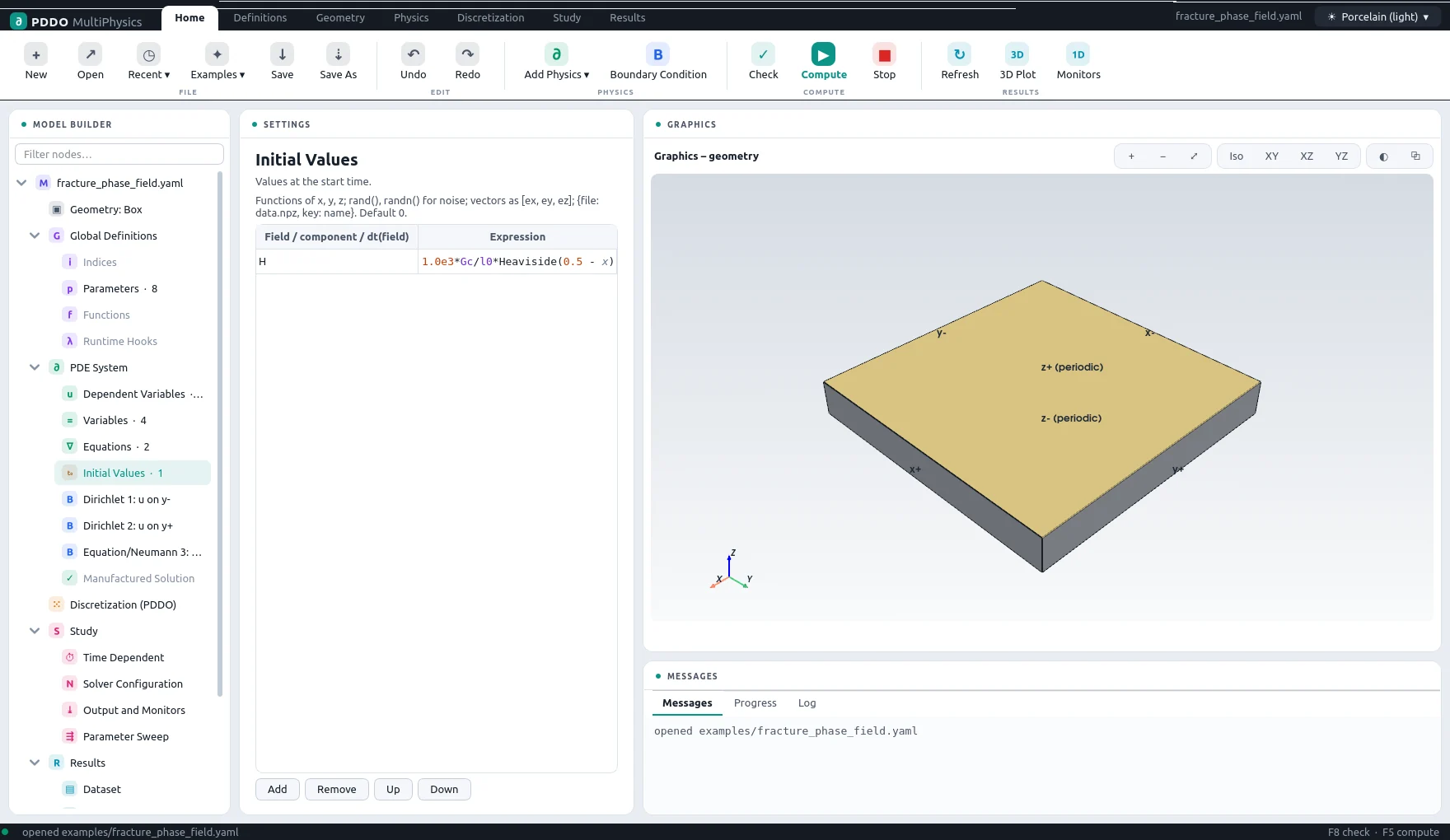
2.9Boundary Conditions
Each boundary condition is a node of its own. It selects faces — from the list, by clicking them in the graphics window, or all boundaries — and sets a condition per field or per component:
| Type | Form | Example |
|---|---|---|
| Dirichlet | value prescribed; may depend on x, y, z, t | T: {dirichlet: "20 + 100*min(t/10, 1)"}, u: {dirichlet: [0, 0, 0]} |
| Neumann | normal derivative dF/dn = g | T: {neumann: 0} |
| Robin | a·F + b·dF/dn = g | T: {robin: [h, k, "h*T_inf"]} |
| Equation | any equation in fields, relations and the outward normal n | u: {equation: "dot(sigma, n) = [0, 0, -p]"} |
- Components.
u_x: {dirichlet: 0}next to a vector condition overrides that one component: a roller or a symmetry plane. - Part of a face.
where: "(x - 0.5)**2 + (y - 0.5)**2 < 0.01"restricts a condition to the nodes where the expression is true. - Precedence. Conditions replace the field's equation at their nodes. Where faces meet, a Dirichlet condition wins; otherwise the condition listed first. A condition on
alllisted last therefore covers only the faces not claimed before. Drag conditions in the tree, or use Up and Down, to reorder them. - Missing conditions. If a field with spatial derivatives has no condition on some boundary nodes, its own equation is applied there with one-sided operators, and a warning is printed.
2.10Manufactured Solutions
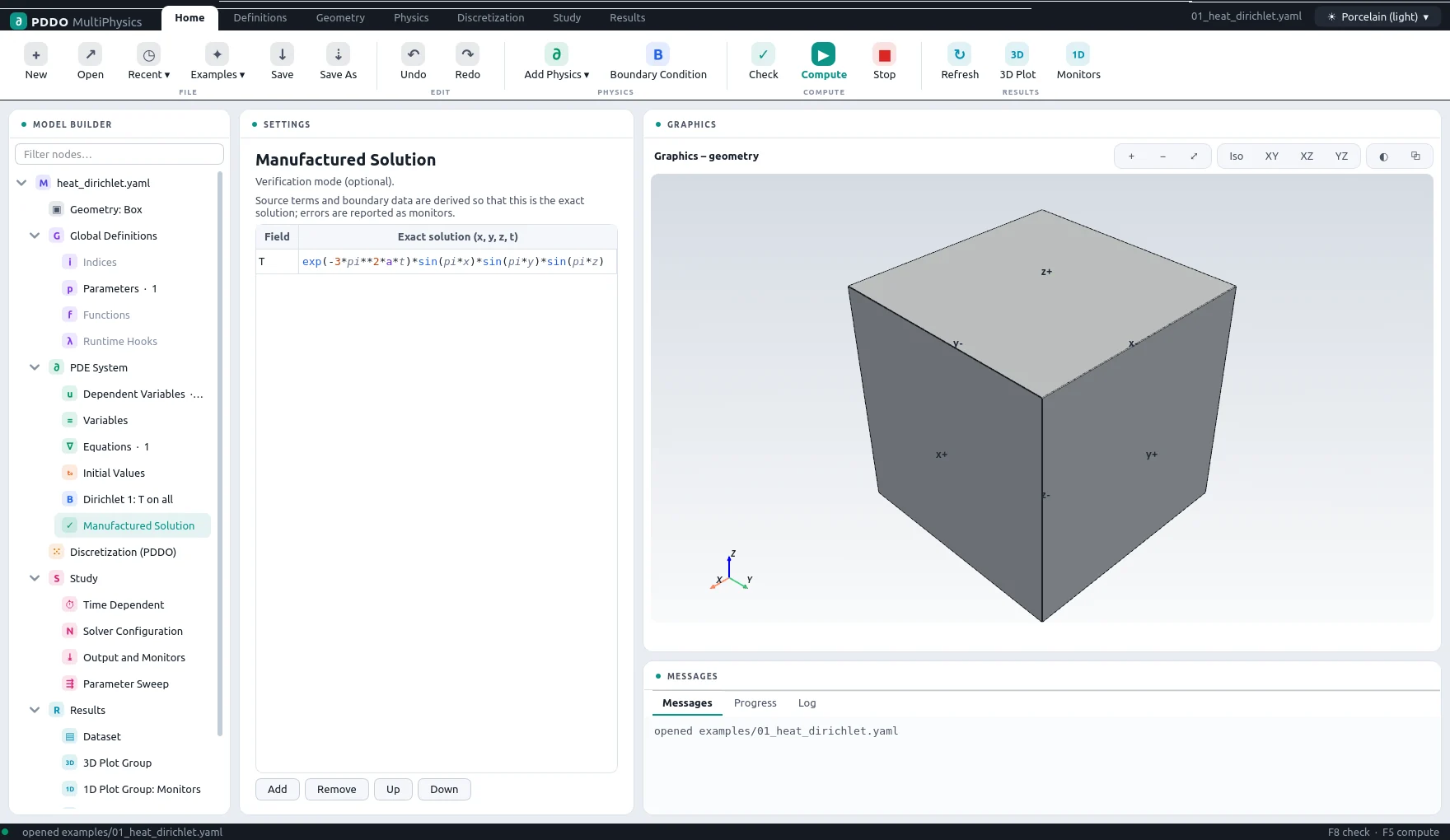
The verification mode. Give an exact solution for every field; the engine adds the source terms to the equations and the data to the boundary conditions, of any type, that make it the solution of the discrete problem, sets the initial condition from it, and adds the monitors err_max_<field> and err_l2rel_<field>. Running on two node spacings gives the order of convergence. Use it to check a new model before trusting it.
3Discretization
3.1Nodes
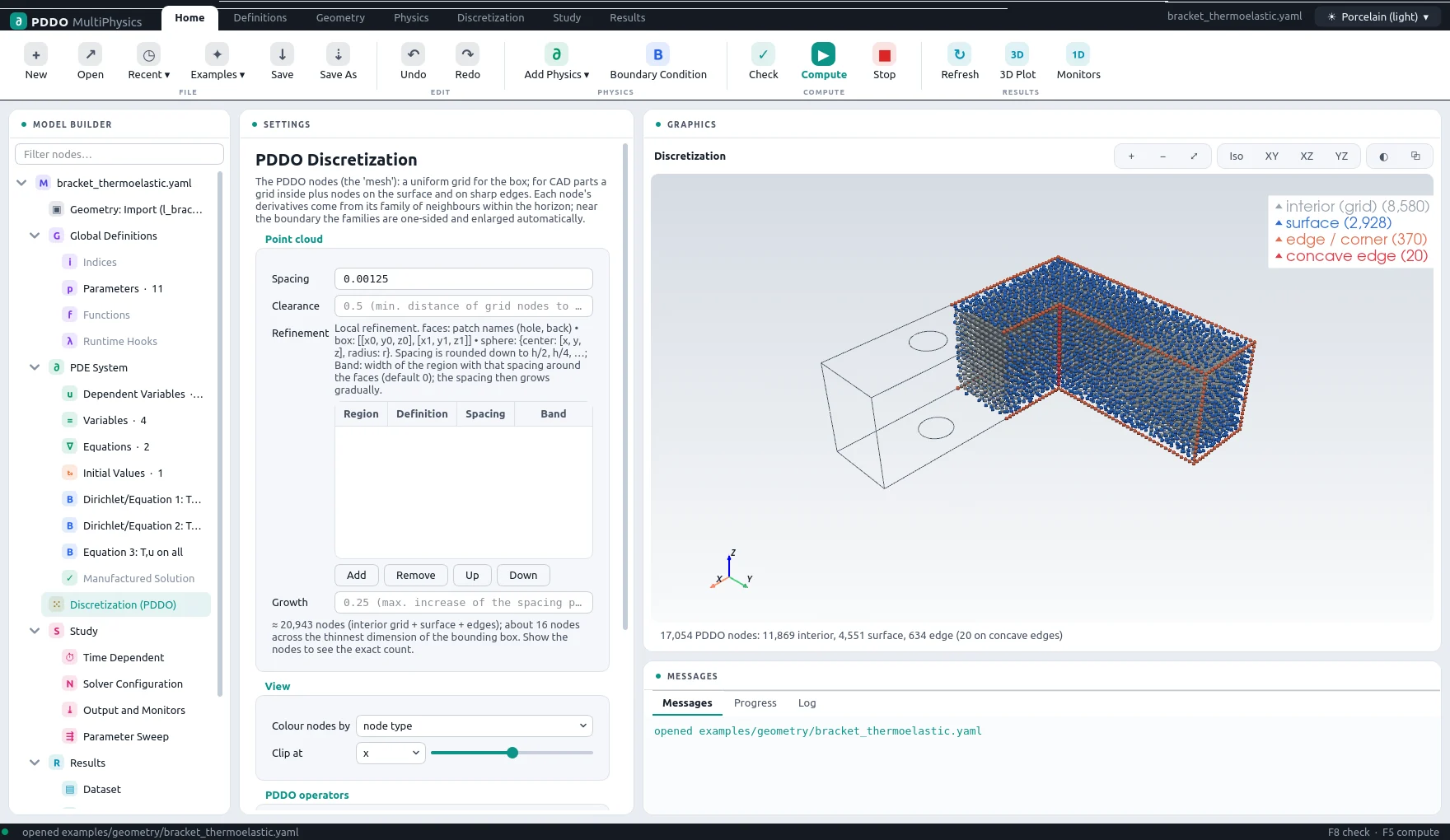
A box is discretized as a regular grid with the given number of nodes per axis, faces included. Every other geometry becomes a point cloud: a regular grid inside the part, nodes placed on the surface with its true normal and patch name, and nodes on the sharp edges. The Discretization node shows the nodes coloured by type (interior, surface, edge, concave edge), by refinement level, by region, or plain, with a clip plane to look inside.
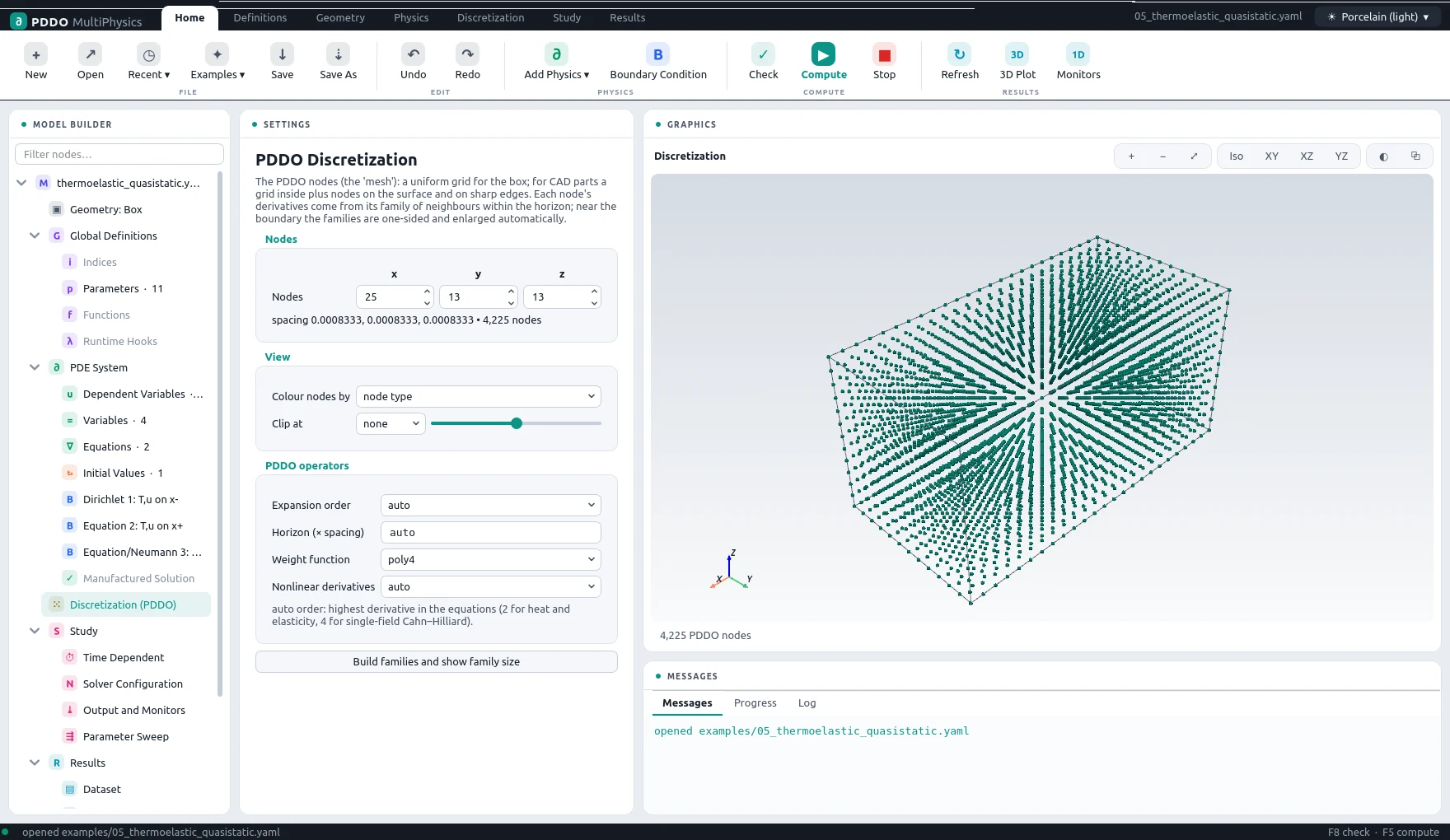
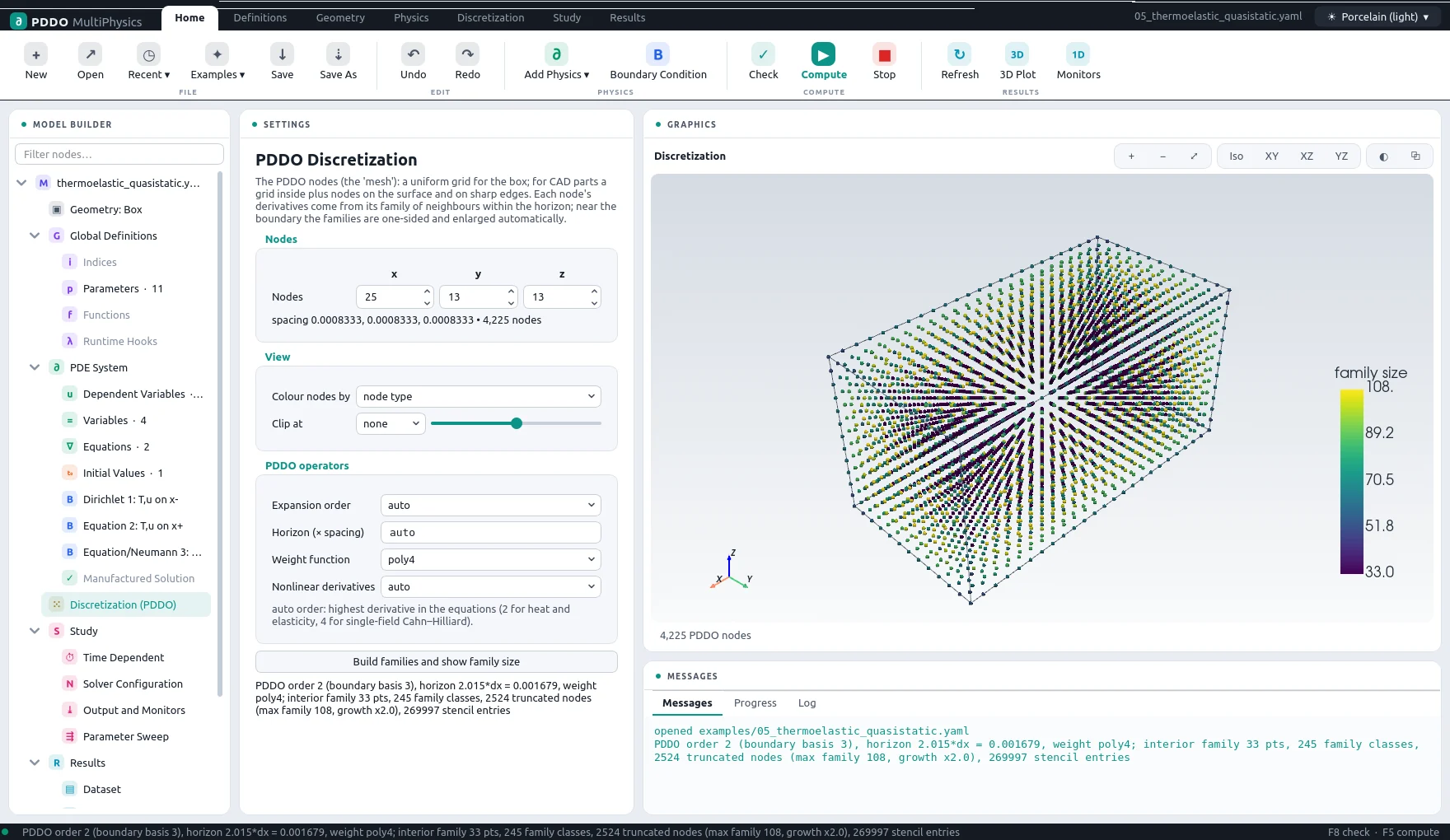
Build Families computes the PDDO families and colours every node by its family size: large near the surface, where families are one-sided and grown until they are well conditioned.
3.2Local Refinement
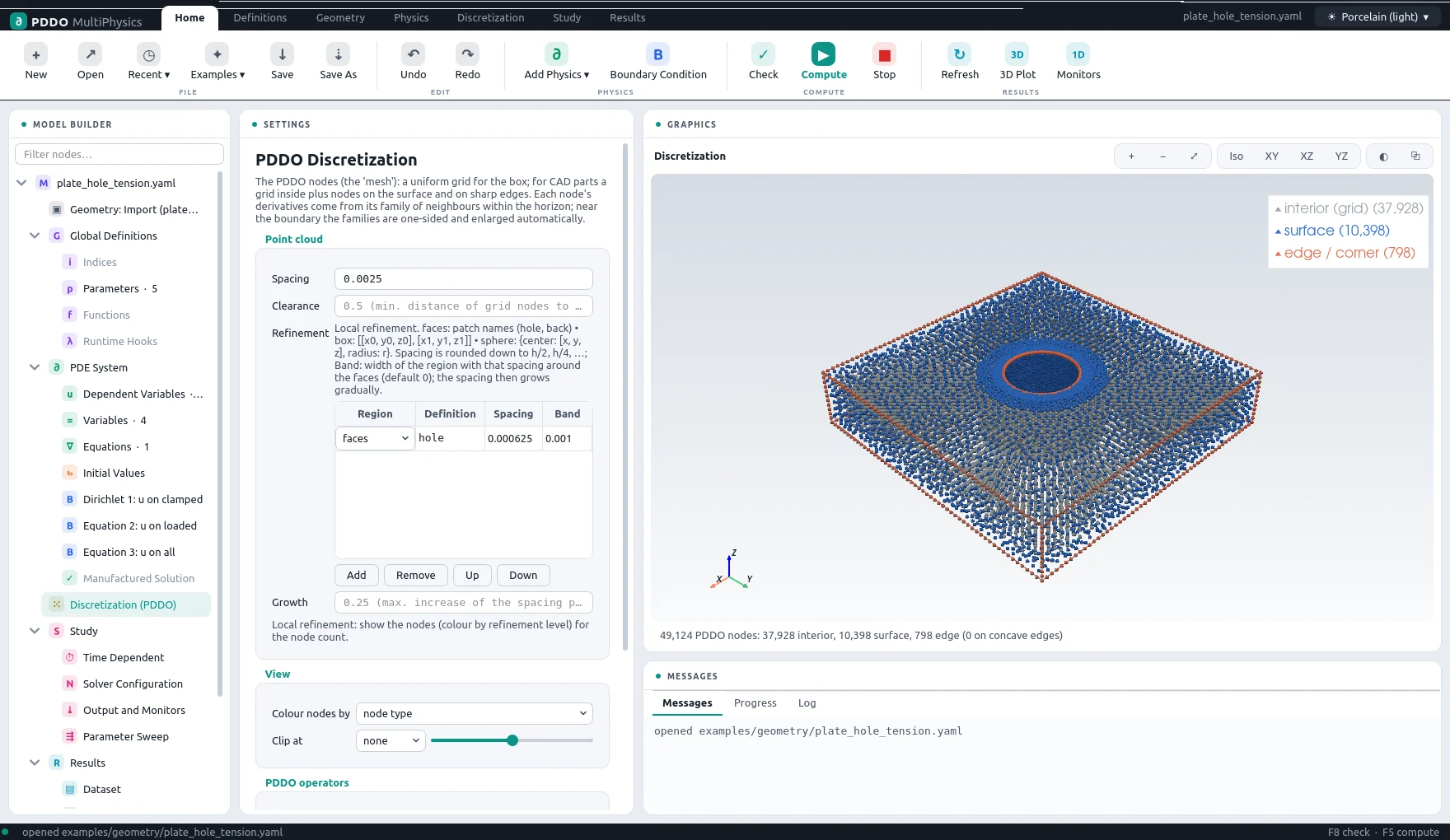
Point clouds can be finer where the solution needs it. Each entry of the Refinement table is a band around named faces (with a distance), a box, or a sphere, with its own spacing. Nodes lie on nested grids h, h/2, h/4, … (requested spacings are rounded down to these levels); the spacing grows at most by the growth rate per unit distance, each level keeps a shared stencil, and the horizon follows the local spacing.
3.3PDDO Operators
| Setting | Meaning |
|---|---|
| Expansion order | 2, 4 or 6; auto picks the highest derivative in the equations (2 for heat and elasticity, 4 for single-field Cahn–Hilliard). Higher order is more accurate per node but needs larger families. |
| Horizon | The family radius in node spacings; auto is 2.015, 3.015 or 4.015 for orders 2, 4, 6. Near a boundary it grows until the family is well conditioned. |
| Weight function | poly4, (1 − r/δ)4, or gauss. |
| Nonlinear derivatives | How an operator acts on a nonlinear expression. auto differentiates a nonlinear expression of field values directly (this conserves Cahn–Hilliard mass to round-off) and uses the chain rule where the expression contains derivatives (second order at boundaries). conservative and expand force one or the other. |
3.4Accuracy
- The operators converge at second order or better at interior, face, edge and corner nodes. Check a new model with a manufactured solution on two spacings.
- For stress analysis on CAD parts, use order 4,
pddo: {order: 4}. On the L-bracket at 1.25 mm the elastic error falls from 5.5 % at order 2 to 0.65 % at order 4, for about twice the cost. - Thin walls and thin regions need several node spacings across, about eight; order 4 needs a few more than order 2.
- Equations higher than second order in space must be written in mixed form at interfaces between materials.
4Solving
4.1Time Stepping
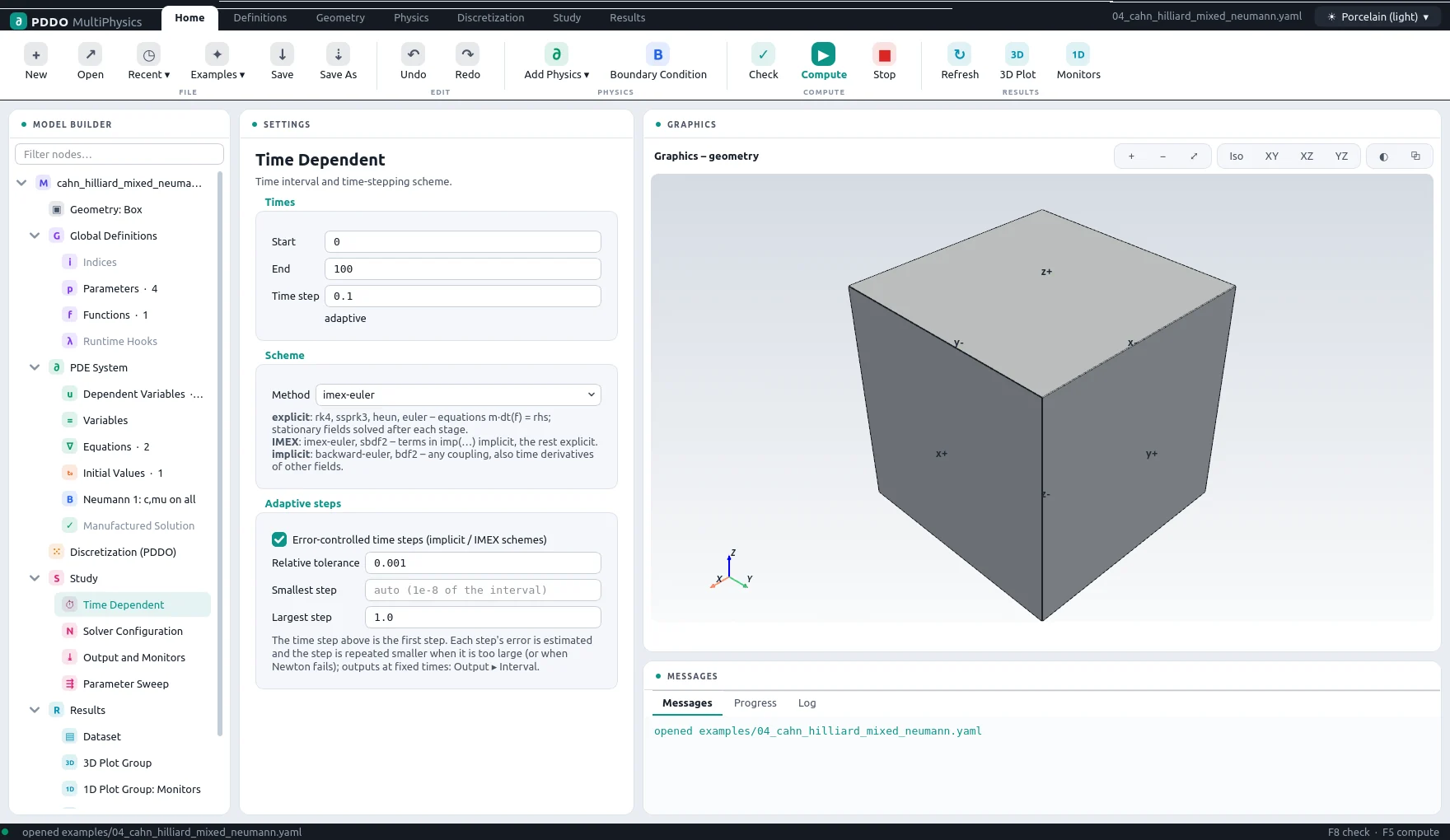
The Time Dependent node sets the start and end times, the time step and the scheme:
| Scheme | Type | Notes |
|---|---|---|
euler, heun, ssprk3, rk4 | Explicit | Evolution equations of the form m*dt(f) = rhs; stationary fields and boundary values are solved after every stage. |
imex-euler, sbdf2 | IMEX | Terms in imp() implicit, the rest of an evolution equation explicit; stationary equations implicit unless in expl(). A constant implicit operator is factorized once. |
backward-euler, bdf2 | Implicit | Everything implicit; differential-algebraic systems allowed. |
Error-controlled steps (implicit and IMEX schemes): the local error of every step is estimated from the difference to a predictor through the previous steps, per field and relative to its size, and the step is accepted when it is below the relative tolerance. Rejected steps, steps whose Newton iteration fails and steps with non-finite values are repeated with a smaller step; BDF2 and SBDF2 use variable-step coefficients. Small changes of the step are suppressed so that constant matrices are not refactorized for nothing.
Load stepping. For problems without time derivatives, such as plasticity, fracture or nonlinear elasticity with a load ramp in t, the same option controls the load step: a step is halved when Newton fails and grows back after easy steps.
4.2Solver Configuration
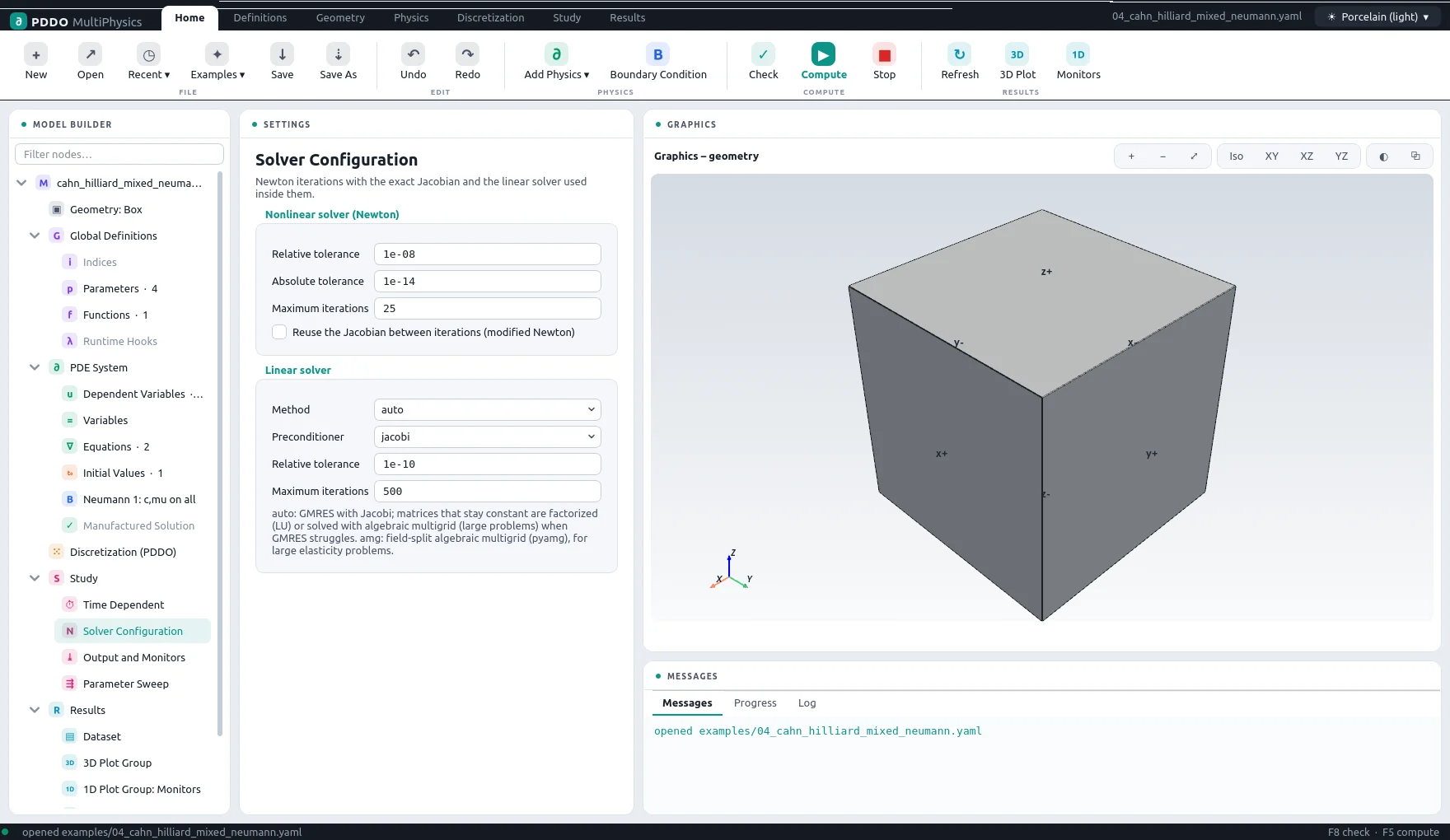
Every step is solved by Newton's method with the exact Jacobian. Its tolerances and iteration limit are set here; reuse the Jacobian keeps one factorization for several iterations and steps (modified Newton), which pays off for weakly nonlinear problems. A backtracking line search, newton: {line_search: true}, helps strongly nonlinear or non-smooth problems.
Linear systems are equilibrated first: rows and columns are scaled, because the rows of different physics differ by orders of magnitude. Then:
| Method | Use |
|---|---|
auto | The default. GMRES with a Jacobi preconditioner, which suits time-dependent problems. A matrix that stays constant through the run and on which GMRES struggles, such as quasi-static elasticity, is factorized once by the direct solver if it fits in memory; a matrix rebuilt every iteration falls back to a direct or a multigrid solve depending on its size. |
direct | Sparse LU: MKL PARDISO (multithreaded, memory checked before factorizing) or SuperLU. |
ilu | GMRES with incomplete LU; robust for elasticity with traction conditions. |
amg | GMRES with smoothed-aggregation multigrid; fastest for diffusion-type and Dirichlet-dominated problems. |
gmres, bicgstab, cg | With a Jacobi, ILU or no preconditioner. |
Staggered iterations, solver: {staggered: {iterations: 200, tol: 1e-9}}, repeat a step with updated history variables until they stop changing: a return mapping with the initial stiffness, which keeps one factorization.
4.3Output and Monitors
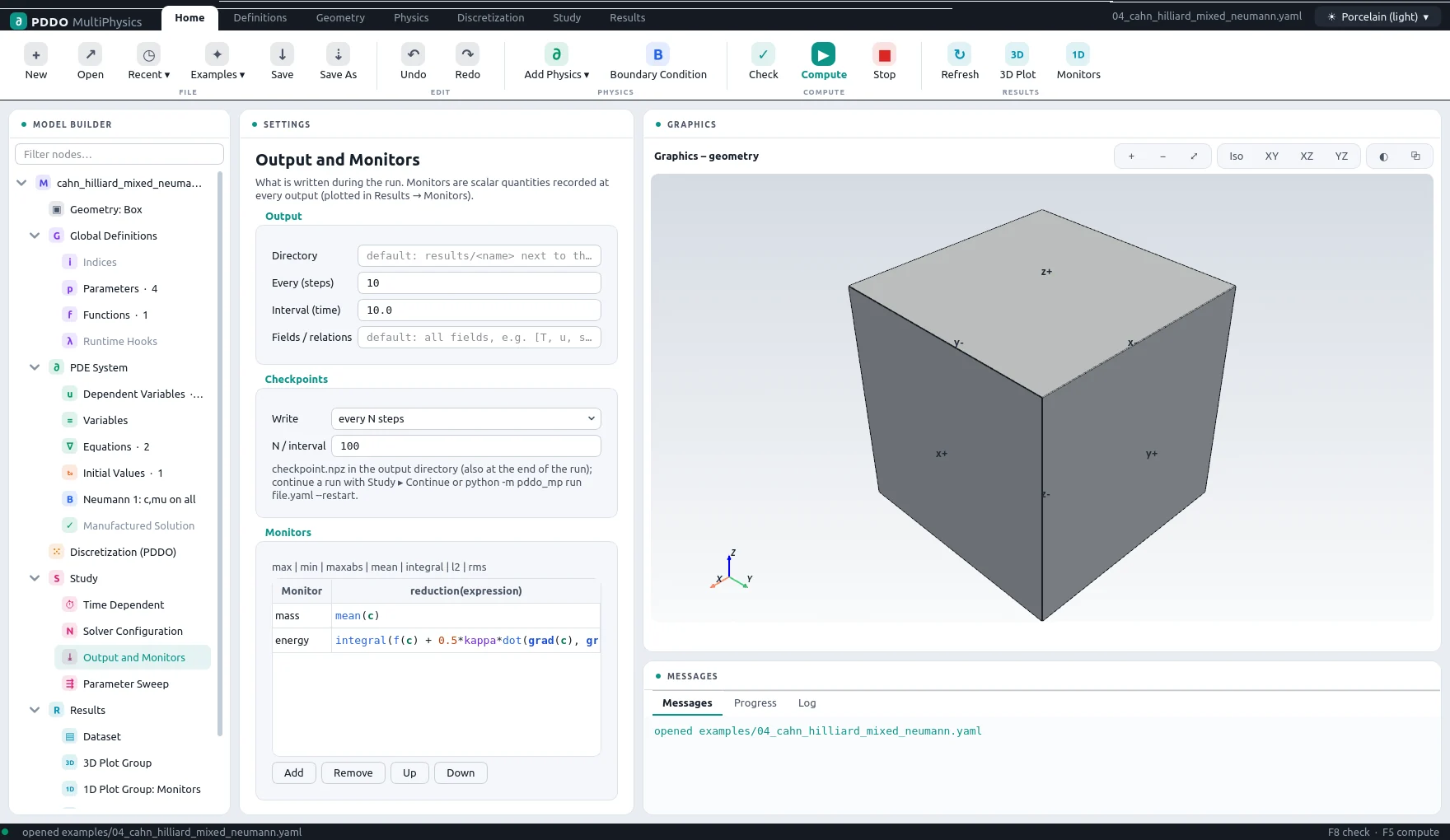
Results are written every N steps or at fixed time intervals, which the steps then land on exactly. Fields / relations chooses what is written: fields, relations, or any expression. Monitors are scalar quantities evaluated at every step and written to monitors.csv: max, min, maxabs, mean, integral, l2 or rms of an expression, such as integral(0.5*ddot(sigma, eps)).
Checkpoints hold the complete state — fields, the multistep history, external fields, runtime parameters, the step size and the random state — with every output, every N steps or every time interval, and always at the end of the run.
4.4Compute, Stop, Continue
Compute (F5) checks the model and runs it in a separate process, so the interface stays responsive. The Progress tab shows the step and the time, the Log tab the solver's output, and the result plots refresh while the run is going. Stop ends the run; what was written so far stays readable. Continue resumes a stopped run, or extends a finished one to a later end time, from its last checkpoint; outputs and monitors are appended.
4.5Parameter Sweeps
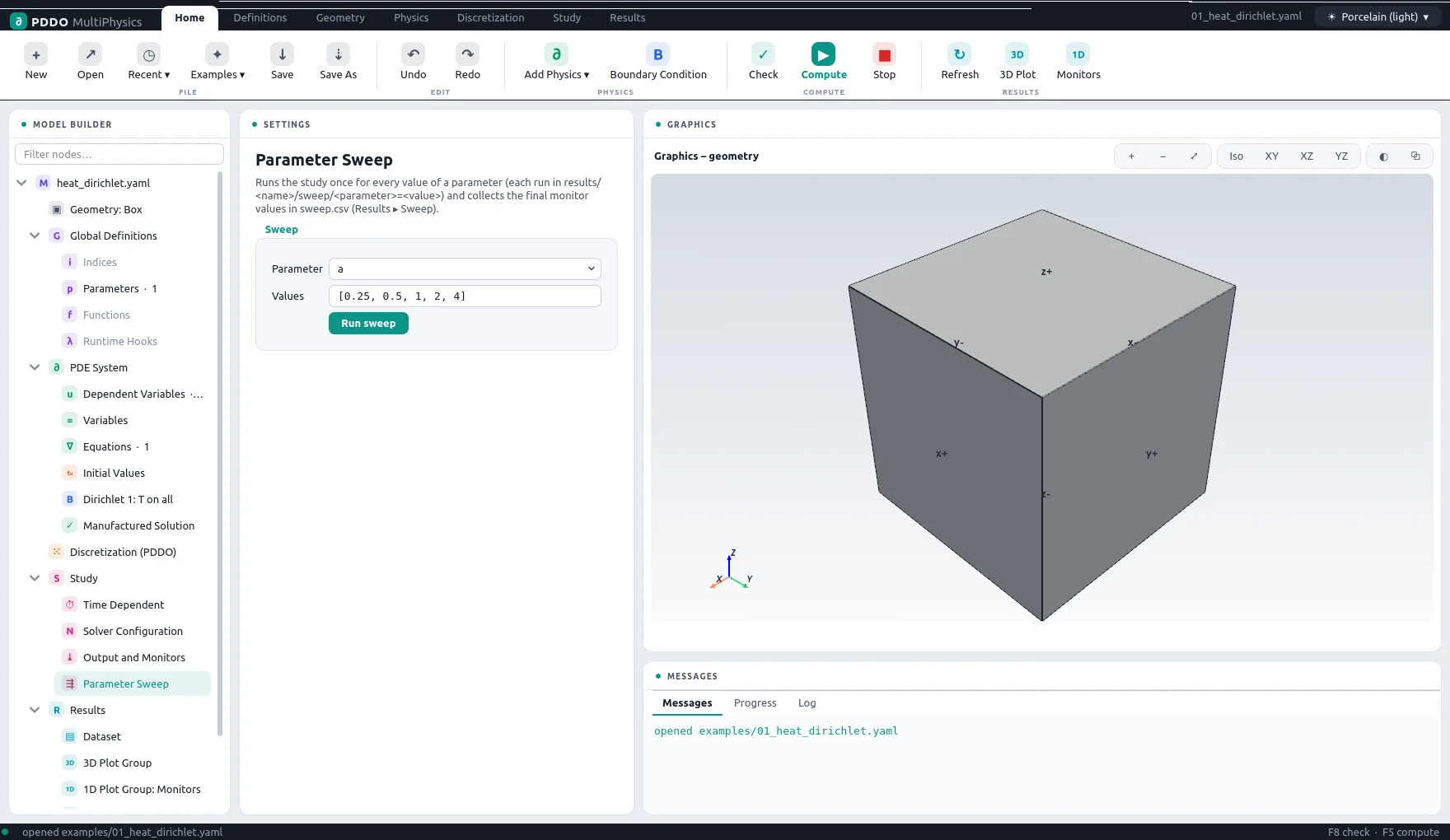
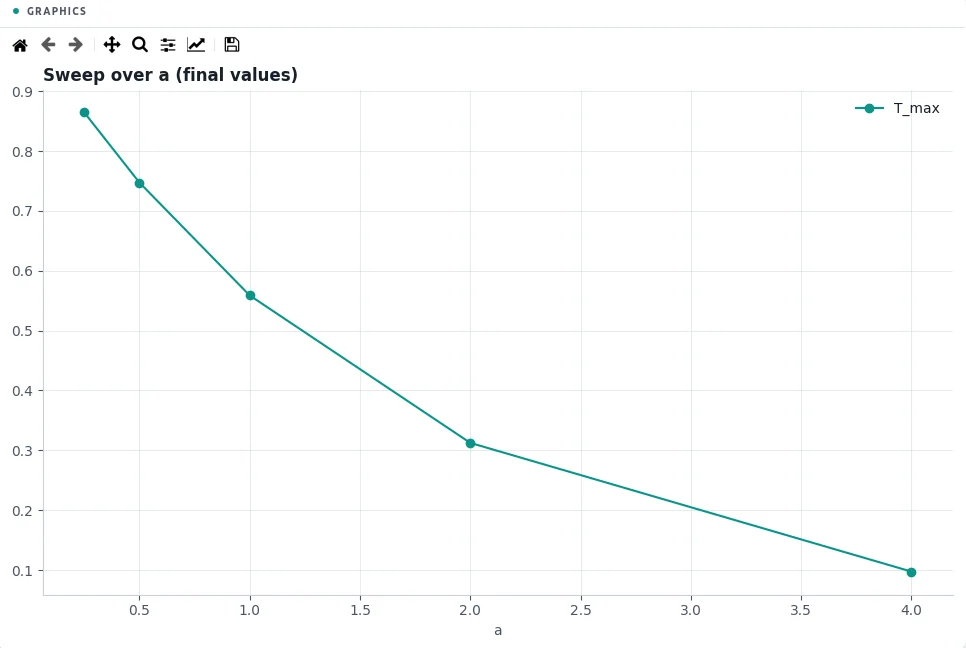
The Parameter Sweep node runs the study once for every value of a parameter, or of any problem-file key such as time.dt. Each run goes to its own folder, and the final monitor values are collected in sweep.csv and plotted against the parameter.
5Results
5.1Dataset
The results folder of the model, by default results/<name> next to the problem file, with the number of stored times. Another folder, such as an earlier run or one run of a sweep, can be chosen here.
5.23D Plots
The 3D Plot Group shows a field, a relation written to the output, or a component of a vector or tensor at the selected time. The time slider, Play and Export animation (an animated GIF) step through the stored times. Four plot types are available, each with a choice of colour table:
| Type | Shows |
|---|---|
| Surface | The field on the surface of the domain; on CAD parts interpolated from the surface nodes. |
| Slices | Three cut planes at chosen positions. |
| Isosurfaces | A given number of levels across the range. |
| Points | The nodes themselves, coloured. |
A displacement field can deform the plot, with an automatic or a given scale. The colour range is automatic per time, fixed to given values, or fixed to the range over all times (Fix to all times), which is what an animation needs.
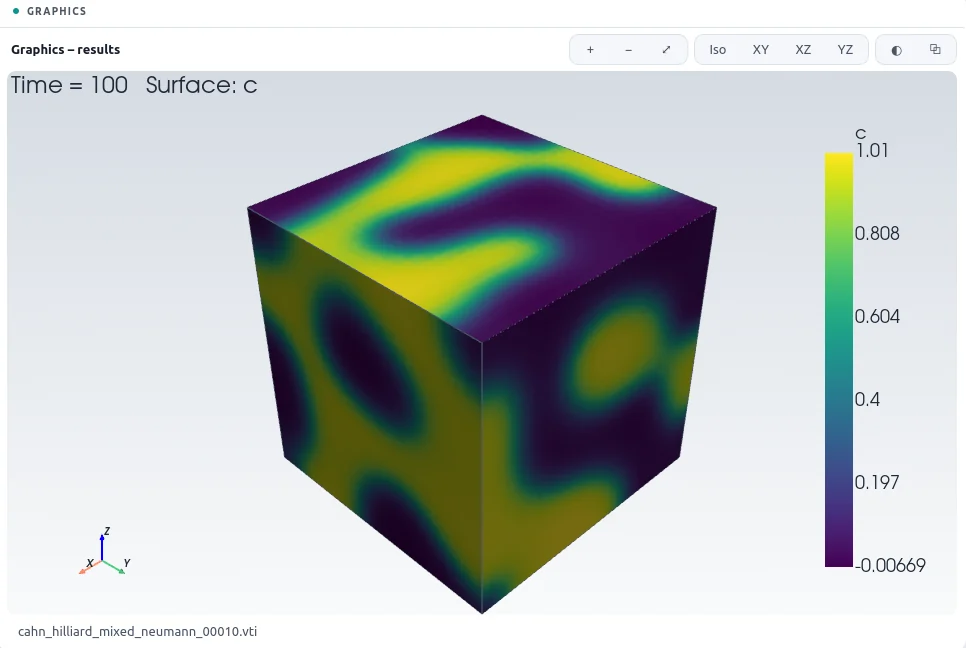
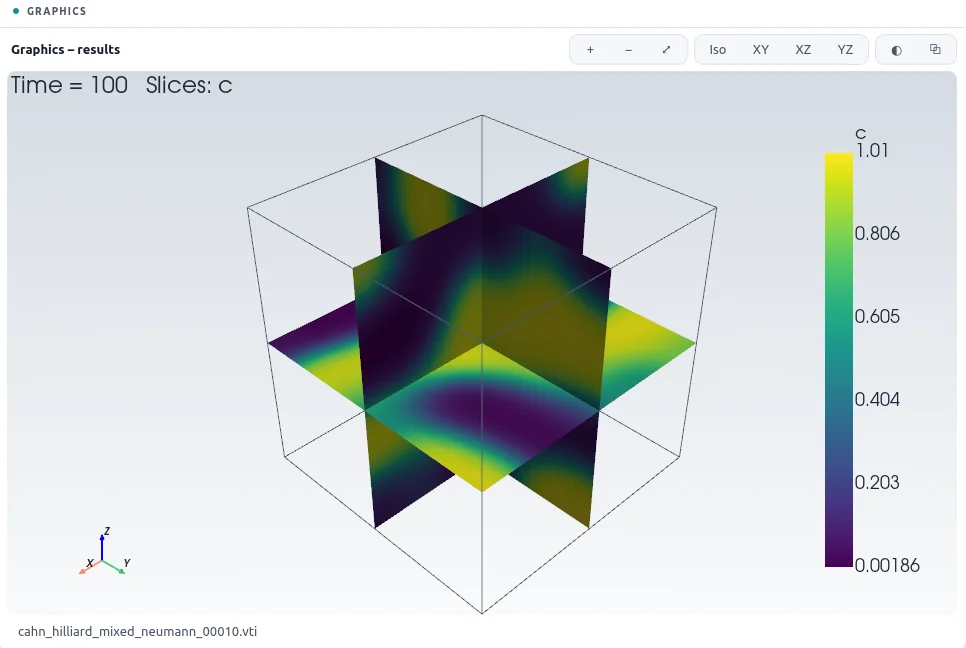
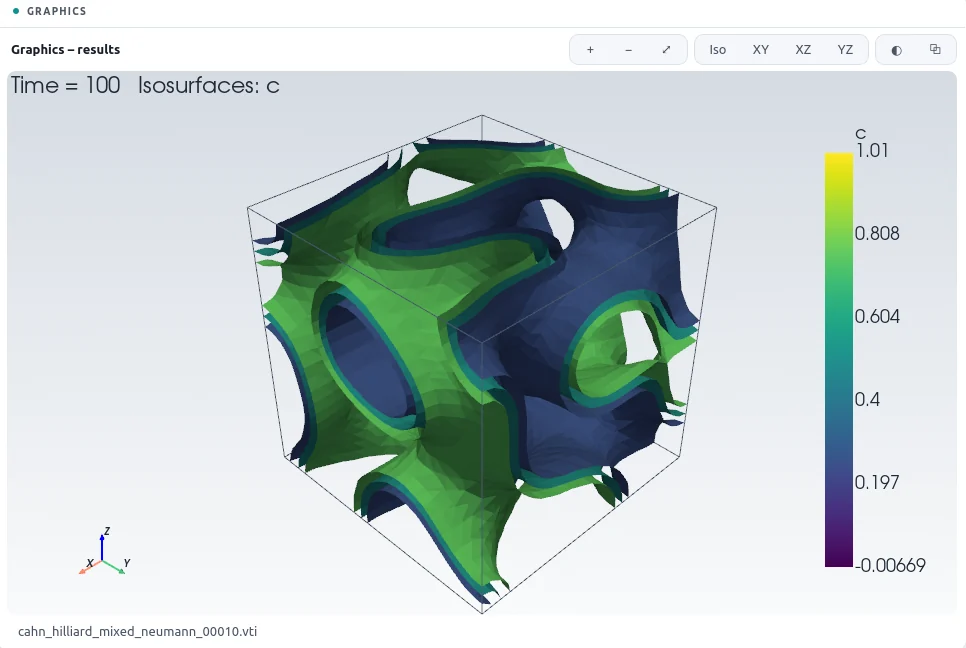
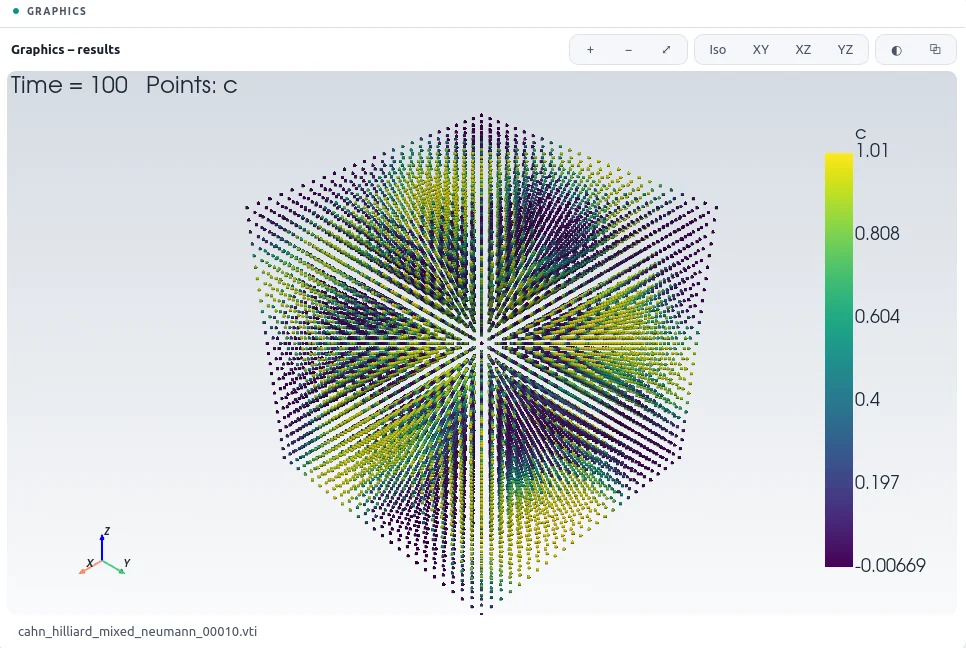
In the graphics window, drag with the left button to rotate, with the right or middle button (or Shift and left) to pan, and use the wheel to zoom. The buttons above the view zoom, fit the view, choose the isometric or an axis-aligned view, make the faces transparent, and save the image.
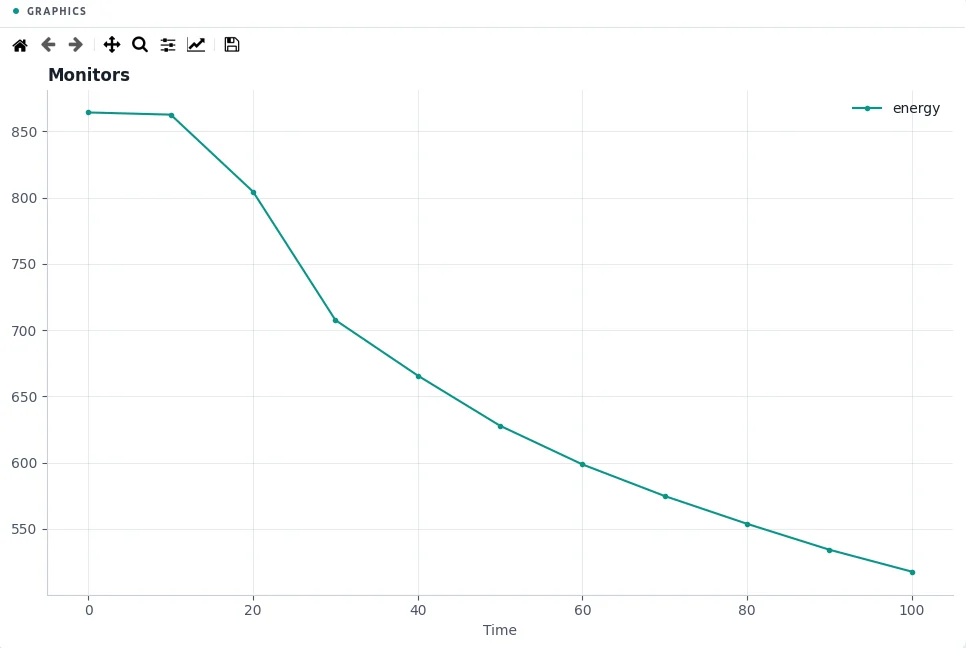
5.3Monitor Plots
The monitors against time, from monitors.csv. Tick the monitors to plot; error monitors of a manufactured solution are shown on a logarithmic scale. The toolbar zooms, pans and saves the plot.
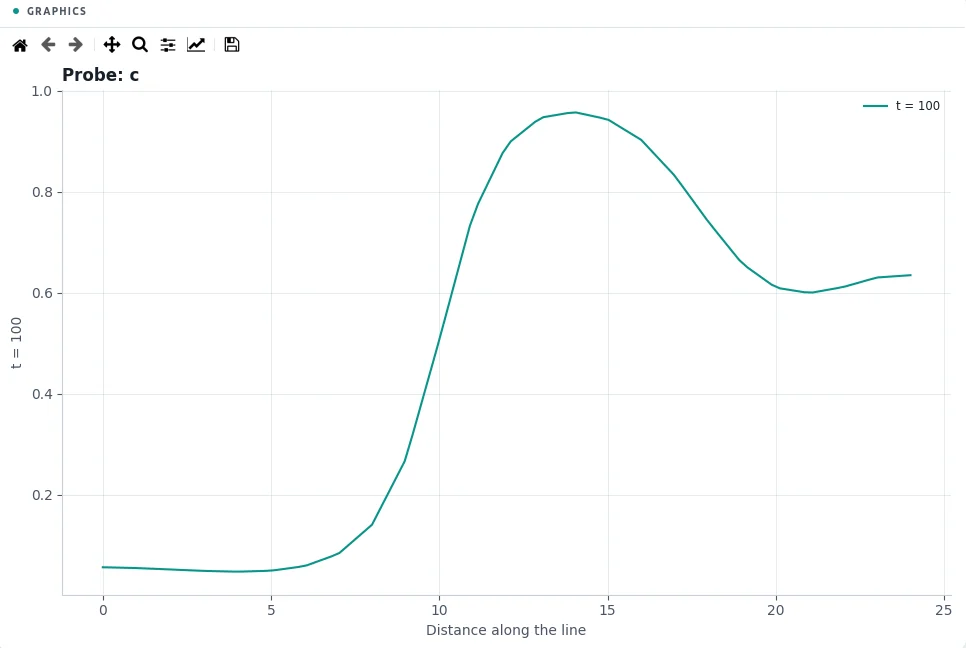
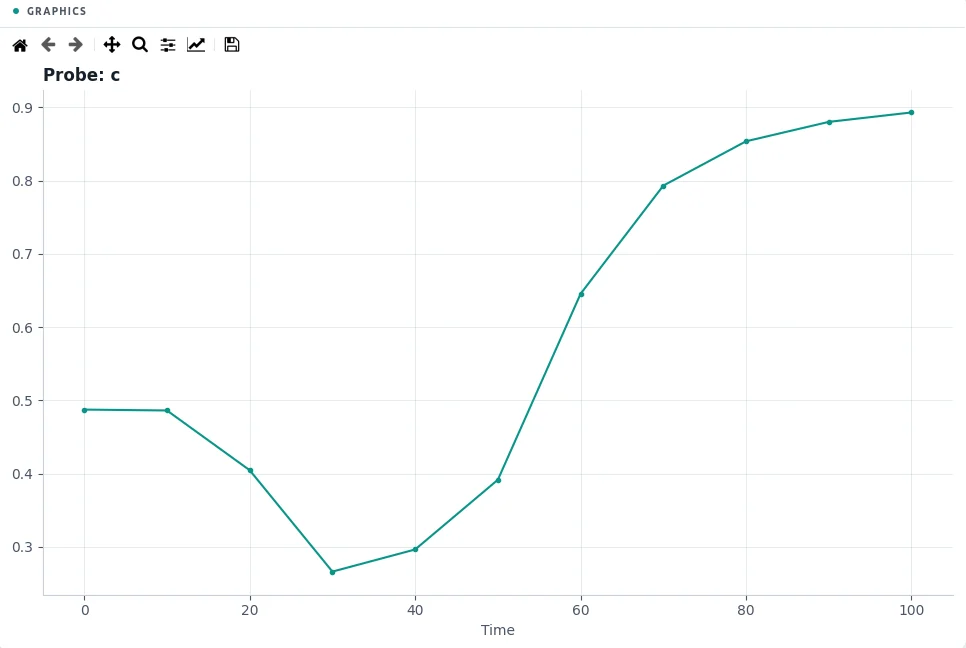
5.4Probes
A probe interpolates the results along a line, at the time of the 3D plot, the last time or all stored times, or at a point over time. Points outside the part are left out. The values can be exported as CSV.
5.5Files Written
| File | Contents |
|---|---|
<name>.pvd | The time series, to open in ParaView. |
<name>_NNNNN.vti / .vtp | One file per stored time: image data for boxes, point clouds for CAD parts. |
monitors.csv | Step, time and every monitor. |
<name>_final.npz | The final state. |
checkpoint.npz | The state for a restart (if checkpoints are on). |
run.log | The model as parsed, the discretization, the progress and the solver statistics. |
sweep.csv, sweep/ | For a parameter sweep: the final monitors per value, and one folder per run. |
6Problem File and Command Line
6.1Problem File Reference
Every section with its main options. All sections except name, domain, fields and equations are optional.
name: my_case                        # used for the output names
domain:
  type: box                          # or geometry (primitives, CAD, regions)
  size: [Lx, Ly, Lz]
  n: [nx, ny, nz]                    # nodes per axis, or  spacing: h
  periodic: [false, false, true]
pddo: {order: auto, horizon: auto, weight: poly4, nonlinear: auto}
indices: {g: 41}
parameters:
  E: 200.0e9
  lambda: "E*nu/((1 + nu)*(1 - 2*nu))"
  T_furnace: {table: [[0, 20], [600, 800]], of: t}
functions:
  "f(c)": "A*c**2*(1 - c)**2"
fields:
  T: scalar
  u: vector                          # also symtensor, tensor
  H: {type: scalar, update: "max(H, psi_plus)"}
relations:
  eps: "sym(grad(u))"
  sigma: "lambda*tr(eps)*I + 2*G*eps"
equations:
  T: "rho_cp*dt(T) = div(k*grad(T))"
  u: "div(sigma) = 0"
initial_conditions:
  T: "20 + 5*exp(-((x - 0.5)**2)/0.01)"
seed: 1
boundary_conditions:
  - faces: [x-]
    T: {dirichlet: "20 + 100*min(t/10, 1)"}
    u: {dirichlet: [0, 0, 0]}
  - faces: [all]
    T: {robin: [h, k, "h*T_inf"]}
    u: {equation: "dot(sigma, n) = [0, 0, 0]"}
time: {end: 100, dt: 0.1, scheme: bdf2, adaptive: {rtol: 1.0e-3}}
solver:
  newton: {rtol: 1e-8, max_iter: 25, reuse_jacobian: false, line_search: false}
  linear: {method: auto}
output: {every: 10, fields: [T, u, sigma], checkpoint: {every: 100}}
monitors:
  T_max: "max(T)"
manufactured: {T: "exp(-t)*sin(pi*x)"}
hooks: my_hooks.py
interfaces: {T: {flux: "k*grad(T)"}}
sweep: {parameter: k, values: [1, 2, 5]}
6.2Expression Language
| Group | Names |
|---|---|
| Differential operators | grad, div, lap, bih, curl, dx, dy, dz, d(f, x, y) |
| Time derivatives | dt, dt2 |
| Tensor algebra | sym, skew, tr, dev, det, inv, transpose, dot, ddot, outer, cross, norm, vec, I; components sigma[0, 1], u_x |
| Functions | sin cos tan exp log sqrt tanh atan atan2 abs sign max min heaviside erf piecewise, interp(s, xs, ys), smoothstep(s, a, b) |
| Symbolic | diff(expr, var), sum(expr, k in g) |
| IMEX markers | imp(...), expl(...) |
| Monitors | max min maxabs mean integral l2 rms |
| Variables | x y z t, box sizes Lx Ly Lz, pi, the outward normal n (boundary conditions only), rand(), randn() (initial values) |
^ may be used for a power, and a parameter may be called lambda. Vectors and matrices are written inline, [0, 0, -rho*g].
6.3Command Line
python -m pddo_mp gui   [problem.yaml]             # the interface
python -m pddo_mp run   problem.yaml [--out DIR]   # run
python -m pddo_mp run   problem.yaml --restart     # continue from the last checkpoint
python -m pddo_mp sweep problem.yaml               # run the sweep: section
python -m pddo_mp info  problem.yaml               # parse; show the model, patches, discretization

# any entry can be overridden:
python -m pddo_mp run problem.yaml --set time.dt=1e-4 --set domain.n=[41,41,41]
From Python, Simulation(cfg, outdir=...).run() runs a problem dictionary, and sim.restart(path) before run() continues from a checkpoint.
6.4Hooks
A hooks file defines any of these functions; the engine calls them during the run:
def setup(sim): ...
def pre_step(sim): ...
def post_step(sim):                # e.g. clipping, nucleation, mass correction
    c = sim.field("c")              # a writable view of the state
    c[:] = c.clip(0, 1)
def on_output(sim): ...
def save_state(sim): ...           # extra state for checkpoints
def load_state(sim, obj): ...
The sim object gives the time sim.t, the step sim.dt, the node coordinates sim.domain.coords, the fields sim.field(name), runtime parameters sim.runtime[name], external fields sim.external(name), sim.set_active(field, i, on) to switch indexed fields on and off, the parameters sim.model.params, and sim.log(text).
7Tips and Troubleshooting
7.1Check and Messages
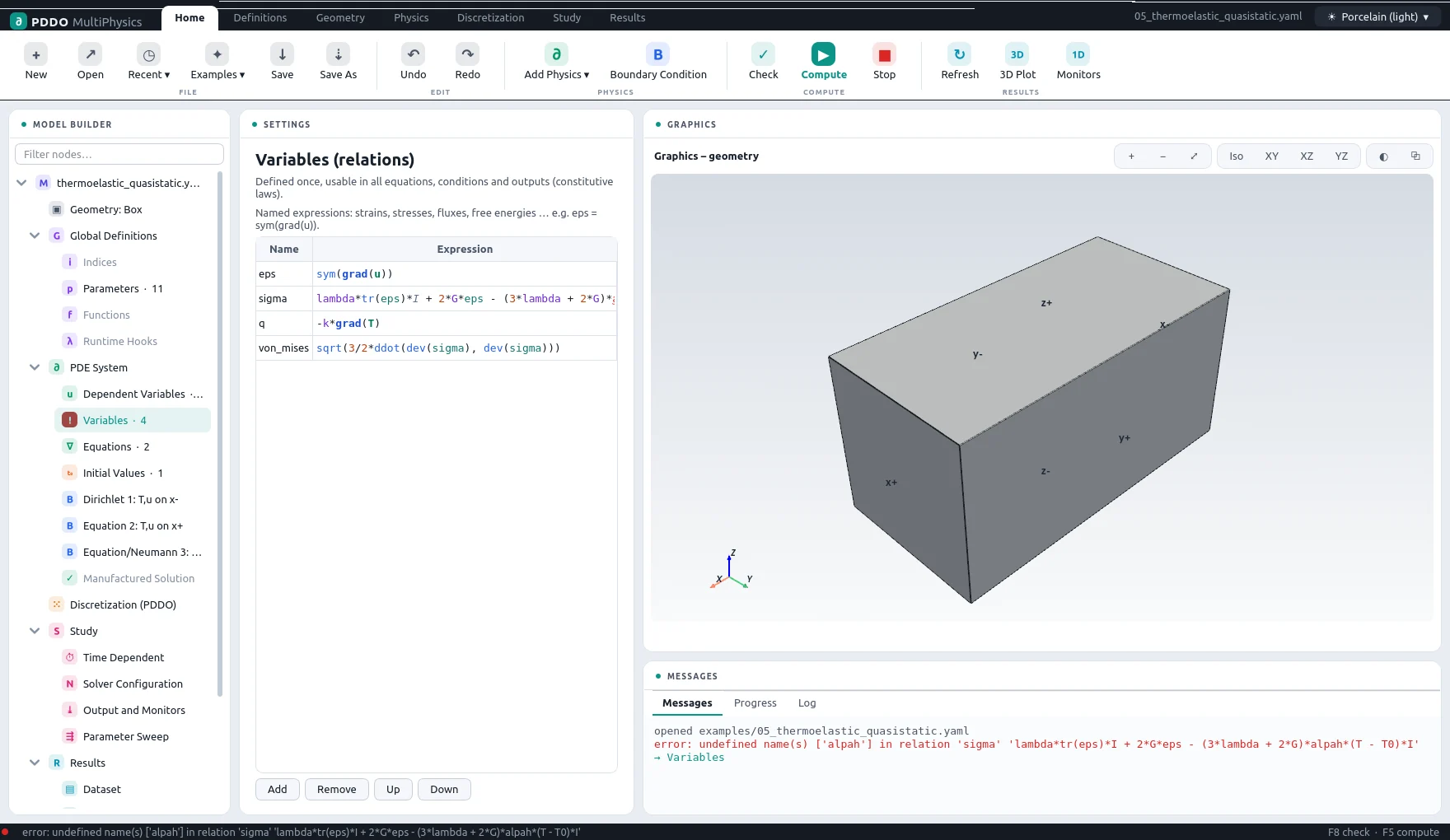
Check (F8) parses the whole model and reports the first problem it finds in the Messages pane: a name that is not defined, a field without an equation, a boundary condition on a face that does not exist, or an explicit scheme for equations that need an implicit one. Otherwise it lists the parsed model and the discretization. An error message is linked to the node it concerns: the node is marked in the tree, and clicking the message selects it.
7.2When Newton Fails
- Reduce the time step, or switch on error-controlled steps: a failed step is then retried with a smaller one.
- For strongly nonlinear or non-smooth relations (max, abs, switches), add
line_search: trueand smooth the switches where the physics allows. - A body that is not held anywhere has rigid-body modes, and its matrix is singular: add supports, or a tiny elastic foundation,
div(sigma) = eta*u. - Check the units: multiphysics rows are scaled automatically, but parameters wrong by orders of magnitude still make a problem stiff.
- The Log tab shows the residual of every iteration and the reason a step was rejected.
7.3Known Limitations
- Bimaterial free edges. Where an interface between two materials meets a free surface and the materials are loaded by a mismatch, such as different thermal expansion, the stress is singular along that line, and the strong-form collocation converges slowly and erratically there. Results away from such lines, and problems without mismatch loading, are not affected.
- Very different spacings per axis. On a box with different node spacings along the axes, the horizon follows the largest one, so refining one axis alone does not converge; refine all axes together.
- Tension-compression splits in phase-field fracture can stall Newton near the crack faces; the isotropic form is robust.
7.4Performance
- Linear problems with constant coefficients and IMEX schemes with a constant implicit operator set up their solver once; keep the time step constant to benefit.
- The direct solver is the fastest for most problems that fit in memory; for large diffusion-type problems try
amg, for elasticity with traction conditionsilu. - The number of threads follows
OMP_NUM_THREADS; set it when several runs share a machine. - Mark large intermediate relations with
cache: true; it keeps the symbolic derivatives small and the evaluation fast.
8Reference
8.1Mouse and Keyboard
| Key or mouse | Action |
|---|---|
| Ctrl+N, Ctrl+O, Ctrl+S, Ctrl+Shift+S | New, Open, Save, Save As |
| Ctrl+Z, Ctrl+Y | Undo, Redo |
| F8 | Check the model |
| F5 | Compute |
| Left drag | Rotate the view |
| Right or middle drag, Shift + left drag | Pan |
| Wheel | Zoom |
| Click a face | Add it to or remove it from the selected boundary condition |
8.2Glossary
| Term | Meaning |
|---|---|
| PDDO | Peridynamic Differential Operator: derivatives at a node from weighted integrals over a family of neighbours. |
| Family | The nodes within the horizon of a node, used for its derivatives. |
| Horizon | The radius of a family, in node spacings. |
| Point cloud | Nodes filling a CAD part: an interior grid, surface nodes with normals, edge nodes. |
| Region | One material of a part made of several bodies. |
| Interface | The common surface of two regions, with continuity of the fields and their fluxes. |
| Relation | A named expression (a Variable in the interface). |
| Update rule | The value a history field takes after every converged step. |
| IMEX | Implicit-explicit time integration: stiff terms implicit, the rest explicit. |
| Manufactured solution | A chosen exact solution; the engine adds the sources that make it the answer, to measure the error. |
| Monitor | A scalar quantity written at every step. |
| Checkpoint | The complete state of a run, to continue it later. |