Documentation

Manuals

User manuals for our software, covering installation and licensing, the analysis workflow step by step, the post-processing tools, and what to do when a run does not behave.

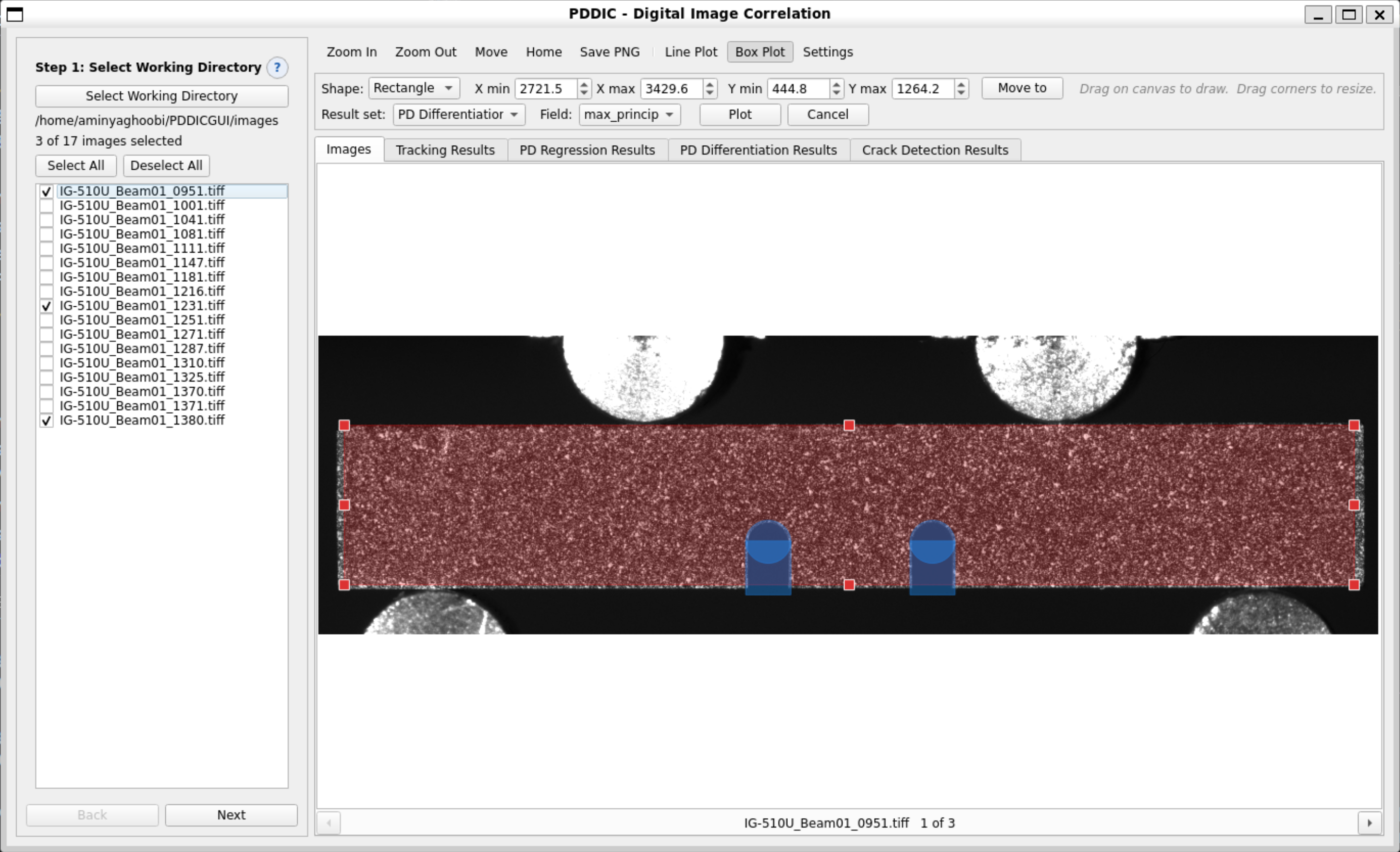
The PDDIC interface with the analysis domain and cut-outs drawn on a speckled specimen

PD-DIC User Manual

Full-field displacement and strain measurement, and crack detection, from digital images. Covers system requirements, installation and license activation, the eight-step analysis workflow, the post-processing tools, file formats, and troubleshooting.

Windows 10 / 11, 64-bit Eight-step workflow admin@gertechnologies.com
Open the manual
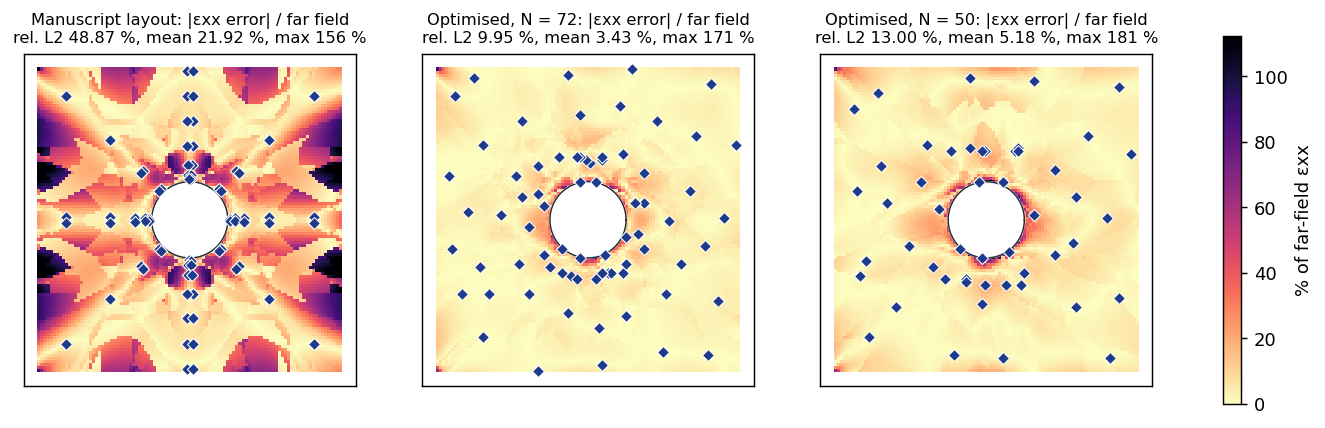
Reconstruction error maps for a published sensor layout and two optimised layouts

Sensor Placement User Manual

Before the test: how many strain rosettes the test needs, and where they go. Covers the shared model steps, the load model, candidate positions and gauge constraints, the five search methods, how to read the error-against-sensor-count curve, and how to export a sensor plan for the laboratory.

Before the test Six-step workflow admin@gertechnologies.com
Open the manual
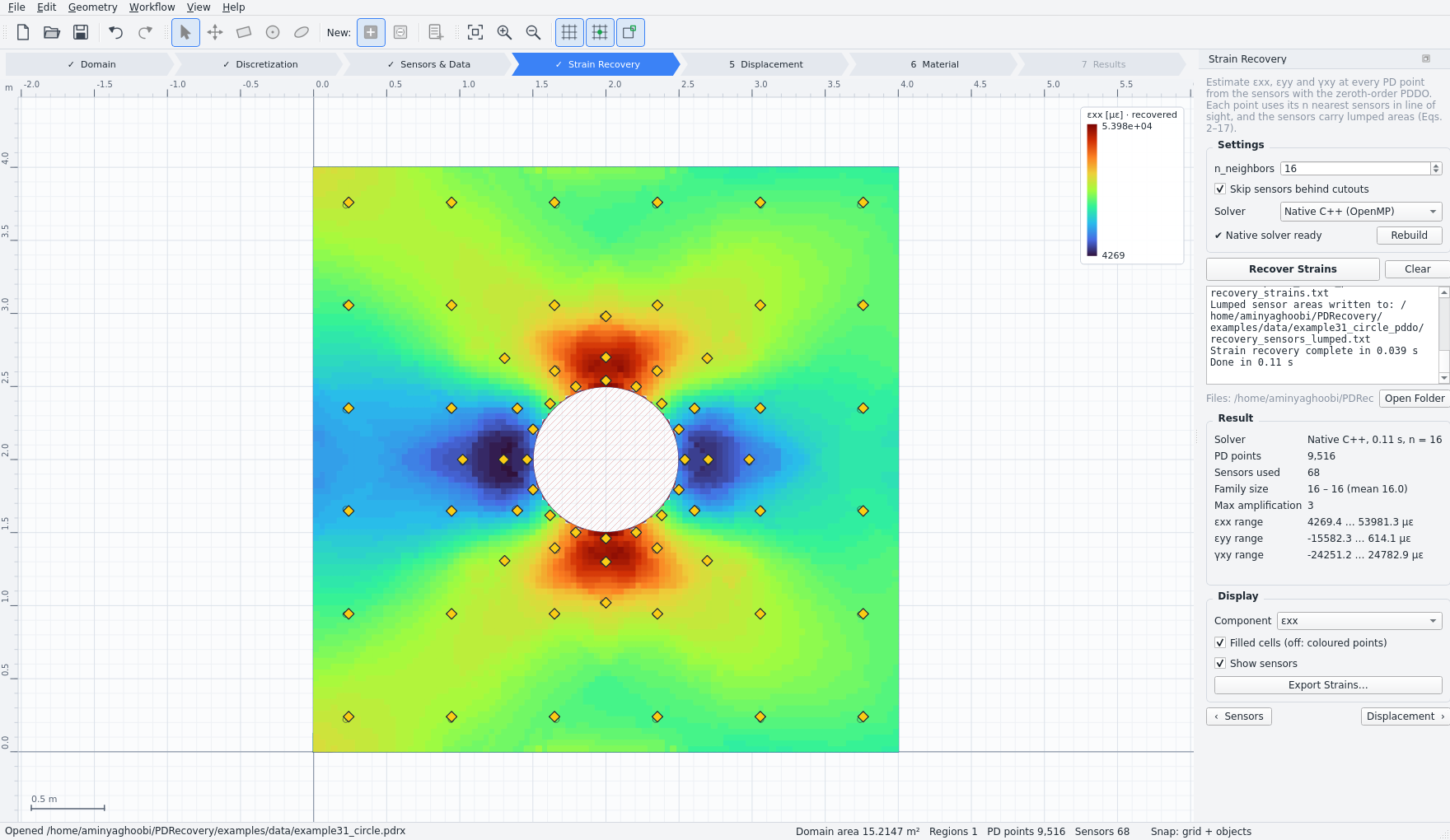
Recovered normal strain field around a circular cut-out in a plate

Field Recovery User Manual

After the test: full strain, displacement and stress fields, and the elastic constants, from strain measured at a handful of sensors. Covers geometry and CAD import, the peridynamic discretization, importing measured data, strain recovery, displacement reconstruction, material characterisation by the virtual fields method, and export.

After the test Seven-step workflow admin@gertechnologies.com
Open the manual
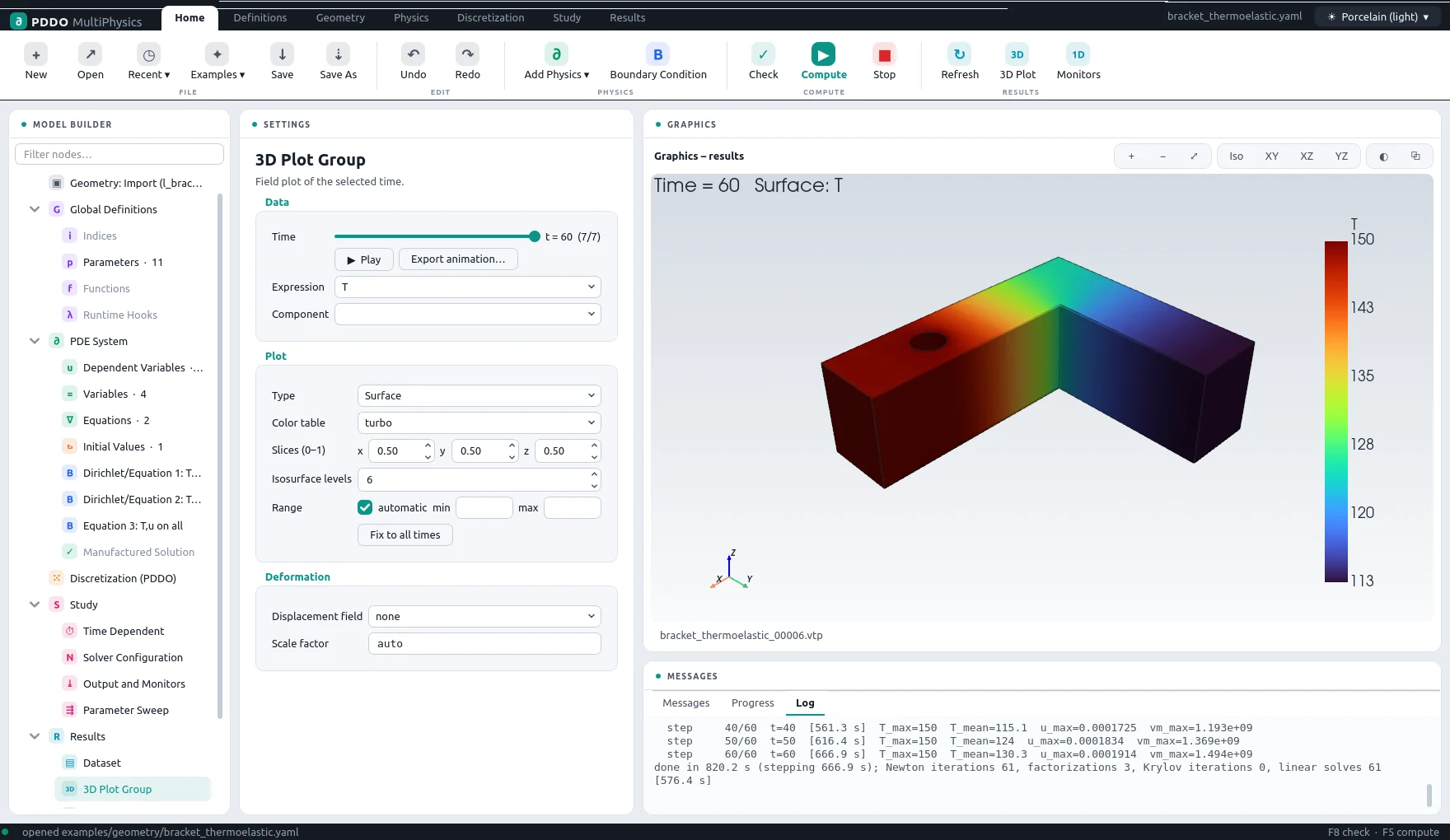
The PDDO-MultiPhysics interface with an imported bracket and its temperature field

PDDO-MultiPhysics User Manual

Coupled 3D physics written as equations. Covers the interface, a first model, every node of the model builder and every entry of the problem file, CAD geometry and several materials, discretization, time stepping and solvers, results, the command line, and troubleshooting.

Windows 10 / 11, 64-bit 20 documented examples admin@gertechnologies.com
Open the manual
Manuals for the remaining products are in preparation. In the meantime, each product page describes the workflow and settings in full, and our team will answer any question directly.

Have a simulation problem that standard tools can’t solve?

Tell us about your material, geometry, or failure mode — we’ll tell you which of our tools fits, or build the method you need.