1The Problem
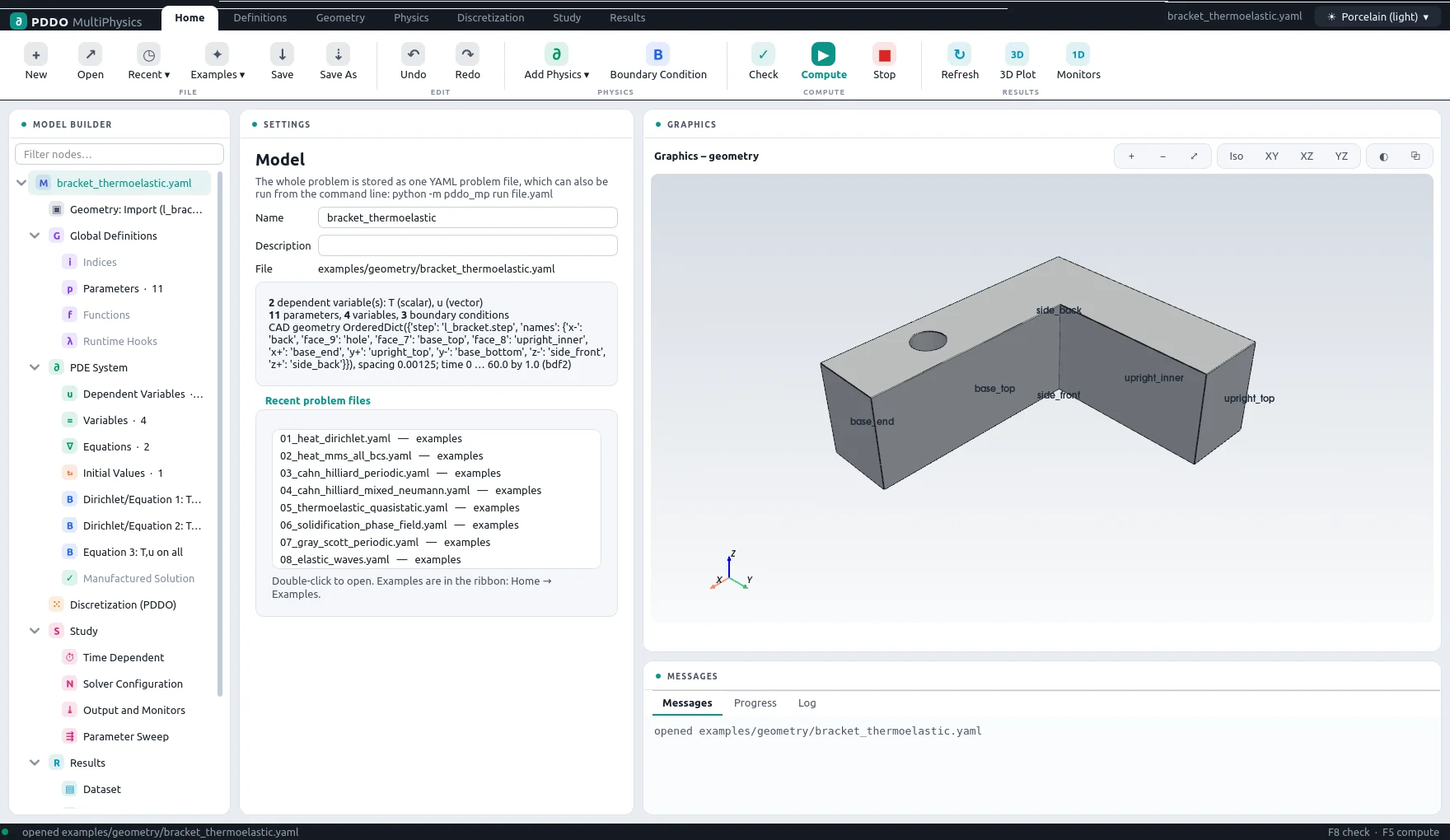
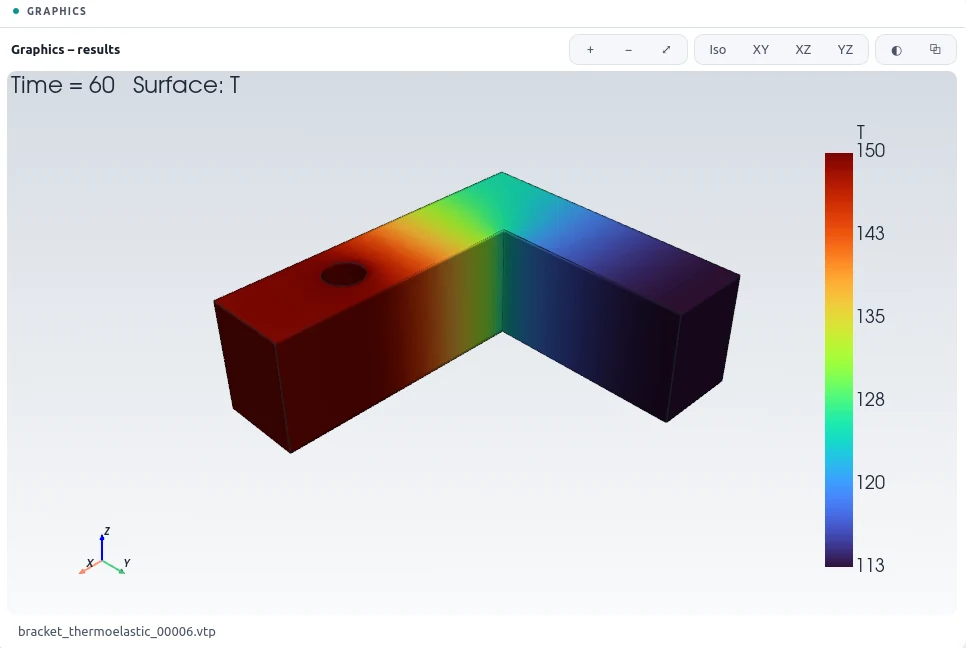
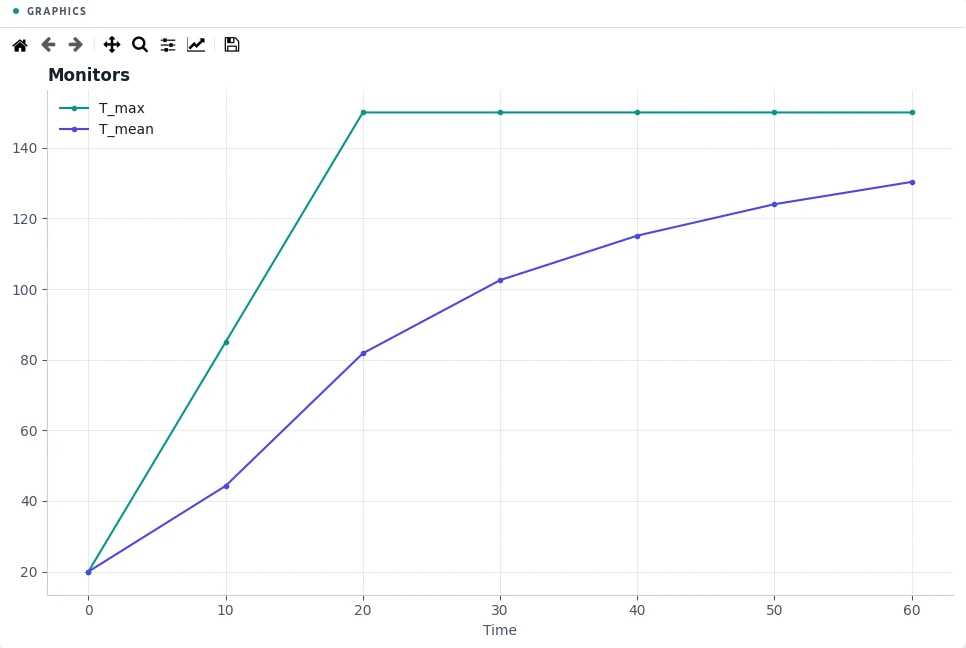
The bracket's back face is bolted to a wall at room temperature and clamped. A bolt through the hole in its base heats up to 150 °C over 20 seconds; every other face loses heat by natural convection and is traction free. The question is the temperature field after a minute and the thermal stress it causes in the constrained part.
2The Problem File
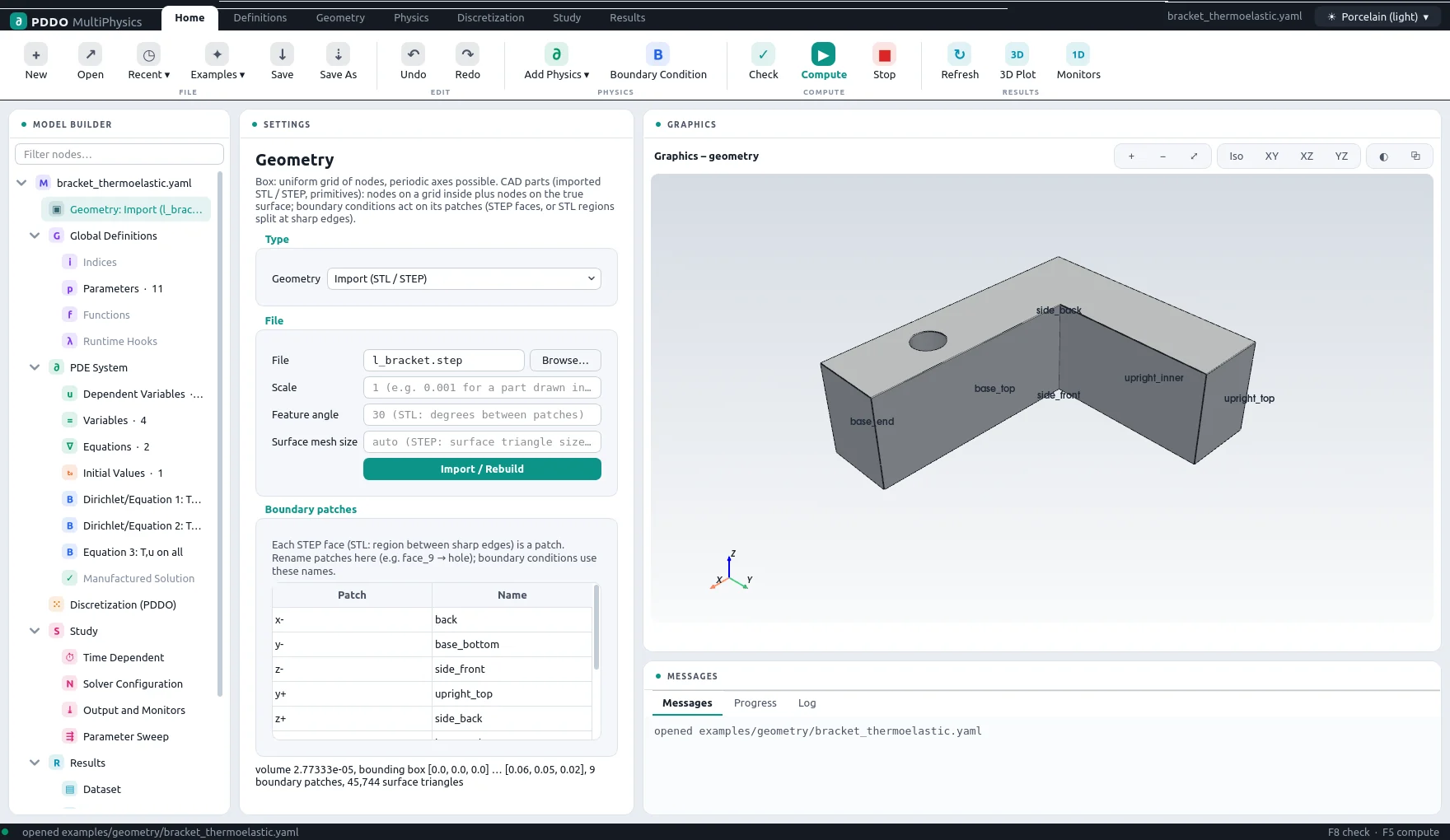
The domain is the STEP file itself. Each STEP face is a boundary patch; the problem file
renames the ones it needs (face_9: hole, x-: back, and so on), and the
conditions refer to these names. The last condition, on all, applies to every face not
claimed by an earlier one. The physics is the same as for the thermoelastic block, in aluminium.
The complete problem file, examples/geometry/bracket_thermoelastic.yaml
# Thermo-mechanics on a CAD part (STEP): aluminium L-bracket heated through its bolt hole.
#   rho*cp*dt(T) = div(k grad T)        quasi-static thermoelasticity, small strain
# The back face is clamped; the bolt hole is heated (temperature ramp); all other faces lose
# heat by convection and are traction free. Boundary conditions act on the true CAD faces
# with their true normals (surface-conforming PDDO point cloud).
"k">name: bracket_thermoelastic
"k">domain:
  "k">type: geometry
  "k">geometry:
    "k">step: l_bracket.step
    "k">names: {x-: back, face_9: hole, face_7: base_top, face_8: upright_inner,
            "k">x+: base_end, y+: upright_top, y-: base_bottom, z-: side_front, z+: side_back}
  "k">spacing: 0.00125
"k">parameters:
  "k">E: 70.0e9
  "k">nu: 0.33
  "k">alpha: 23.0e-6
  "k">k: 160.0
  "k">rho_cp: 2.4e6
  "k">h_conv: 15.0
  "k">T0: 20.0
  "k">T_bolt: 150.0
  "k">t_ramp: 20.0
  "k">lambda: "E*nu/((1 + nu)*(1 - 2*nu))"
  "k">G: "E/(2*(1 + nu))"
"k">fields:
  "k">T: scalar
  "k">u: vector
"k">relations:
  "k">eps: "sym(grad(u))"
  "k">sigma: "lambda*tr(eps)*I + 2*G*eps - (3*lambda + 2*G)*alpha*(T - T0)*I"
  "k">q: "-k*grad(T)"
  "k">von_mises: "sqrt(3/2*ddot(dev(sigma), dev(sigma)))"
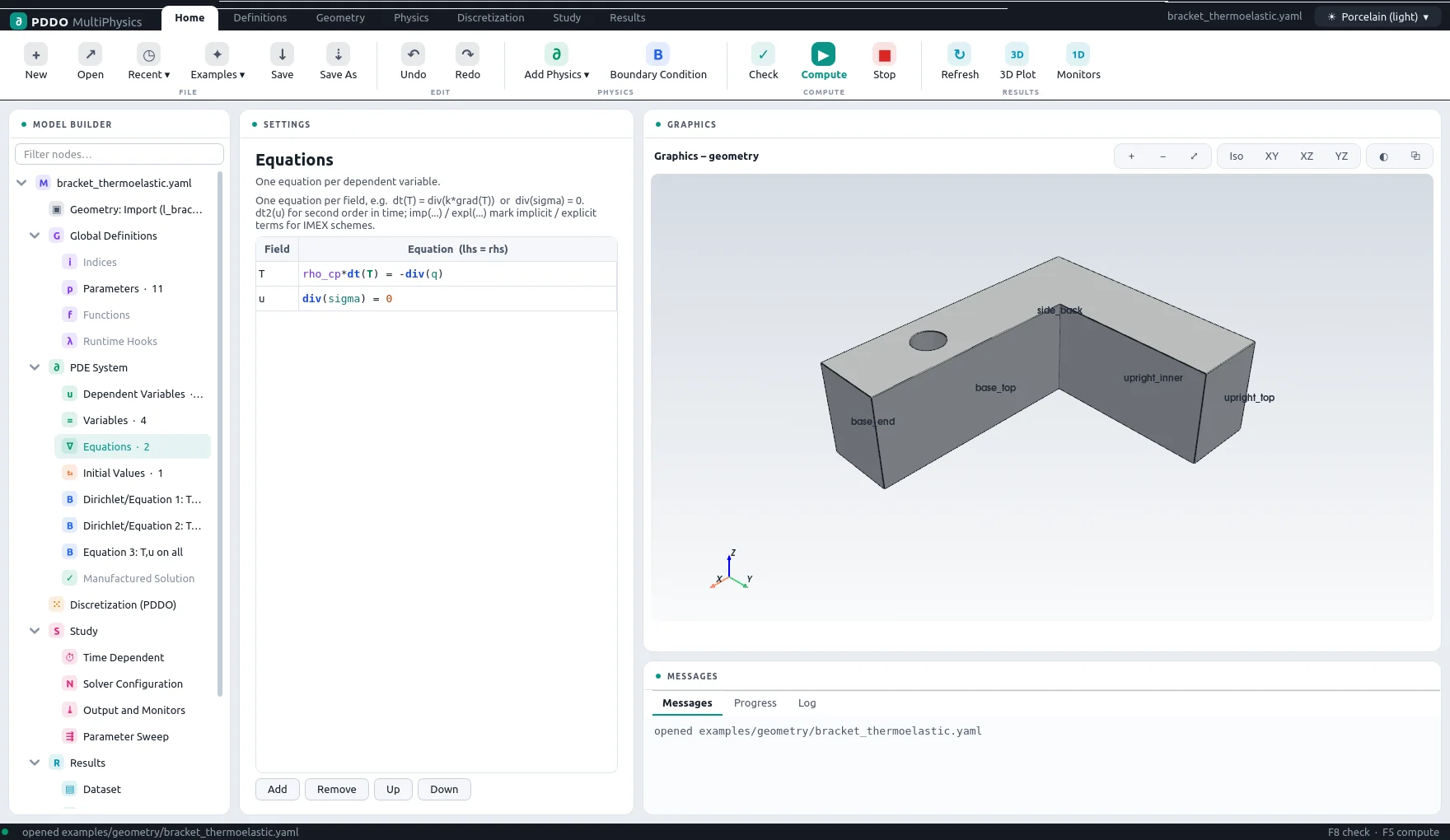
"k">equations:
  "k">T: "rho_cp*dt(T) = -div(q)"
  "k">u: "div(sigma) = 0"
"k">boundary_conditions:
  - "k">faces: [back]
    "k">T: {equation: "dot(q, n) = h_conv*(T - T0)"}
    "k">u: {dirichlet: [0, 0, 0]}
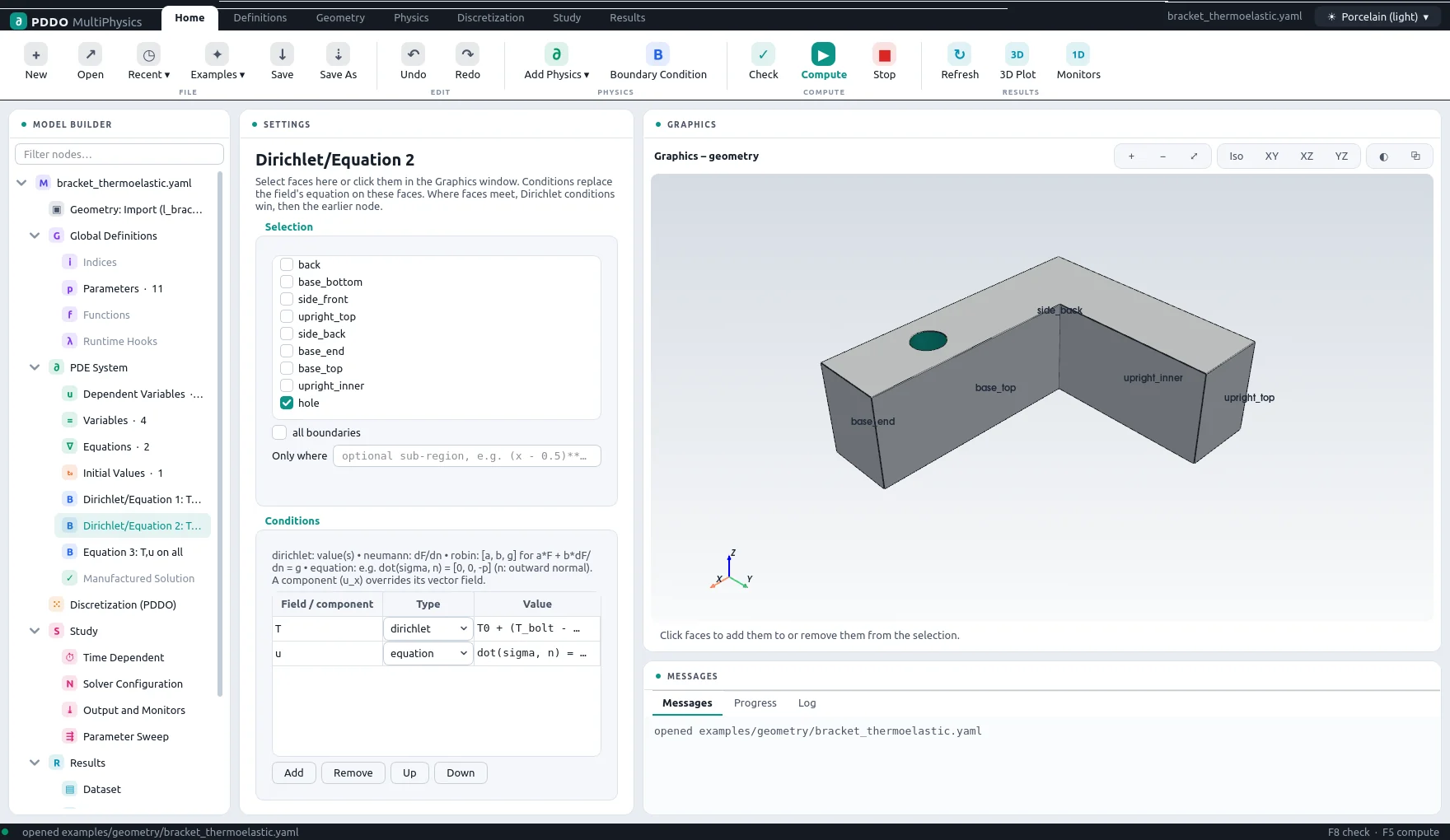
  - "k">faces: [hole]
    "k">T: {dirichlet: "T0 + (T_bolt - T0)*min(t/t_ramp, 1)"}
    "k">u: {equation: "dot(sigma, n) = [0, 0, 0]"}
  - "k">faces: all
    "k">T: {equation: "dot(q, n) = h_conv*(T - T0)"}
    "k">u: {equation: "dot(sigma, n) = [0, 0, 0]"}
"k">initial_conditions:
  "k">T: "T0"
"k">time:
  "k">end: 60.0
  "k">dt: 1.0
  "k">scheme: bdf2
"k">output:
  "k">every: 10
  "k">fields: [T, u, von_mises]
"k">monitors:
  "k">T_max: "max(T)"
  "k">T_mean: "mean(T)"
  "k">u_max: "max(sqrt(dot(u, u)))"
  "k">vm_max: "max(von_mises)"
3Discretization
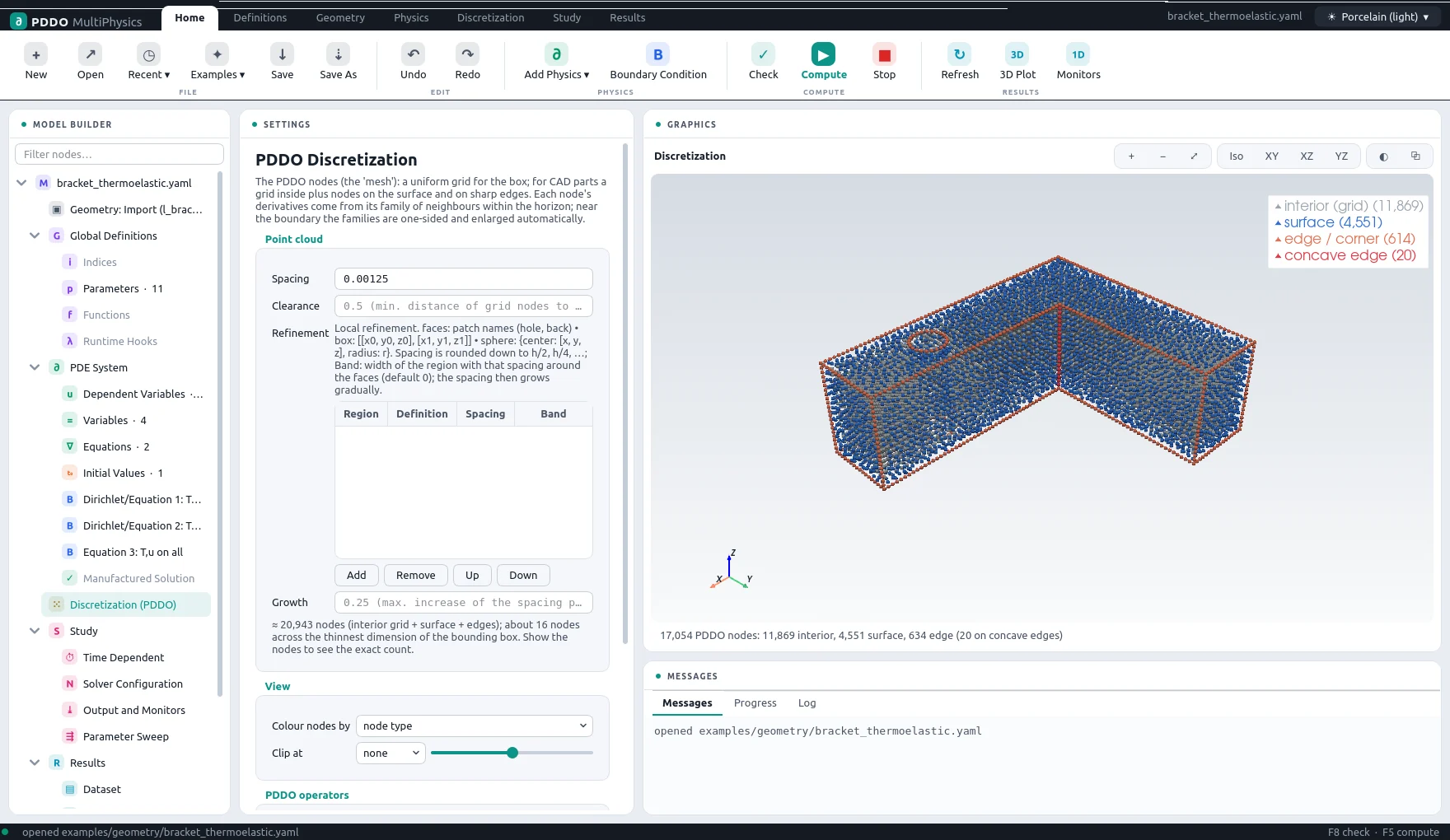
At a spacing of 1.25 mm the part is filled with 17,054 nodes: a regular grid inside, nodes on the faces and on the sharp edges, so every boundary condition acts on the exact CAD surface. Families near the surface are one-sided and grown until they are well conditioned.
4Results
- Nodes
- 17,054 (point cloud)
- PDDO order
- 2, horizon 2.015 Δx
- Time scheme
- bdf2
- Steps
- 60 × Δt = 1
- Newton iterations
- 61
- Factorizations
- 3
- Run time
- 14 min
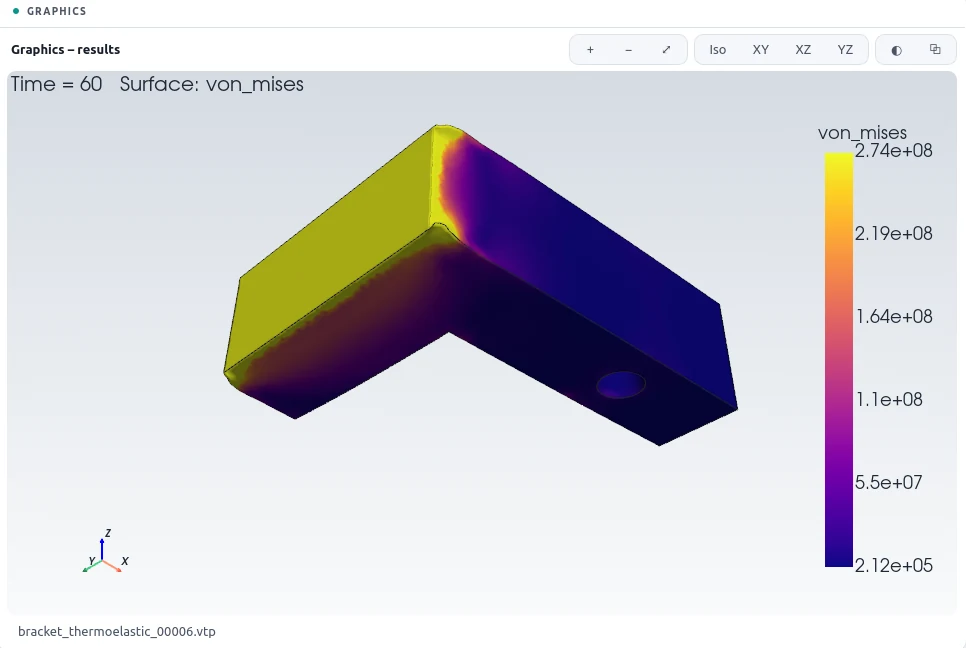
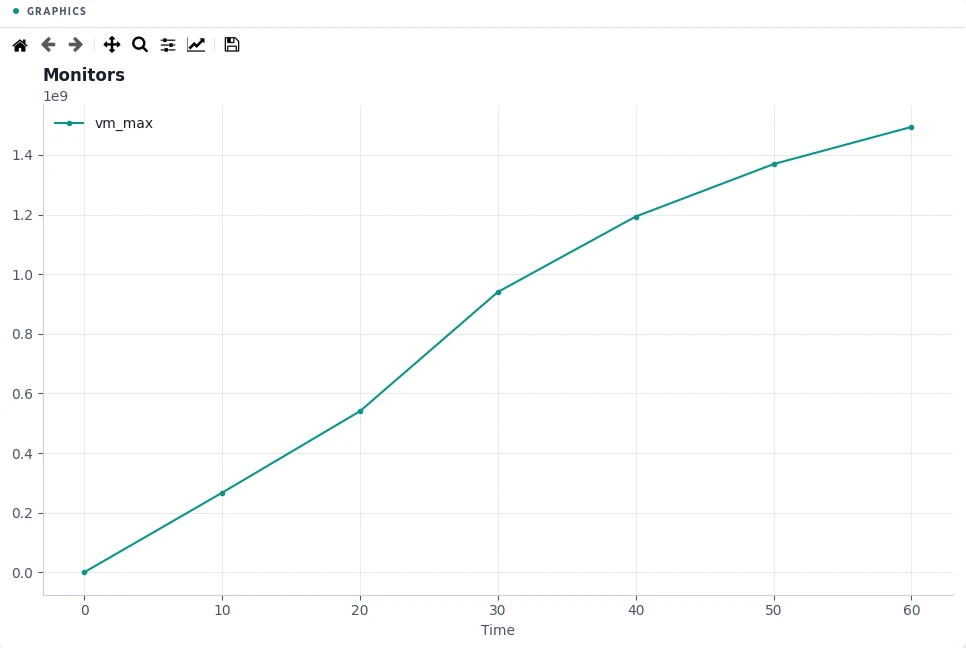
After 60 seconds the hottest point is the bolt hole at 150 °C and the mean temperature of the bracket is 130 °C. The largest displacement is 191 µm. The thermal stress concentrates at the clamped back face, where the expansion of the hot base is held: 99 % of the part is below 405 MPa von Mises. The single largest value, 1494 MPa, is on the edges of the clamped face, a stress singularity of the clamped linear-elastic model; an assessment would use the stress a short distance away, or model the bolted joint.
5Run It Yourself
The problem file ships with PDDO-MultiPhysics. Open it in the graphical interface and press Compute, or run it from the command line:
python -m pddo_mp gui examples/geometry/bracket_thermoelastic.yaml
python -m pddo_mp run examples/geometry/bracket_thermoelastic.yaml
Results go to results/bracket_thermoelastic/
next to the problem file: a ParaView time series (.pvd), the monitors as CSV, and the
final state. Any entry can be changed on the command line, for example
--set time.end=30 for a run to half the end time. The user manual
describes every part of the problem file and of the interface.